
Key Takeaways
- The best all-in-one construction management software runs estimation, design, procurement, finance, and field work on one connected data model, not separate modules.
- Procore and Autodesk Forma (formerly Construction Cloud) lead enterprise and BIM-heavy projects, but sell mainly through custom quotes.
- Contractor Foreman has the lowest published price for a full suite, from $49 a month; Fieldwire has a free tier for field teams.
- Buildertrend and Houzz Pro fit residential builders and designers who need client portals, selections, and proposals.
- RDash ties design, procurement, and finance to the BOQ, making it a strong fit for developers, contractors, and fit-out firms.
- Oracle Aconex suits mega-projects that need formal document control and a neutral, shared record across many organisations.
- Match the tool to project size, business type, and financial controls, then confirm pricing directly, since many vendors quote privately.
What Is All-in-One Construction Management Software?
All-in-one construction management software is a single platform that runs the entire project lifecycle on one connected data model, covering estimation, bill of quantities (BOQ), design, scheduling, procurement, finance, and field progress. Enter a rate once in the BOQ and the budget, the purchase order, and the client bill all update together.
The test is whether the data is unified or just co-located. Most platforms sold as “all-in-one” are a bundle of modules that share a login but not a database, so teams still re-key the same numbers in three places.
That gap is where money leaks. McKinsey found that large construction projects typically run about 20 percent longer than scheduled and up to 80 percent over budget, partly because “there is no single source that provides an integrated, real-time view of project design, cost, and schedule.” The fragmentation is measurable: the average contractor runs 11 separate applications, and only about a third of them exchange data without manual workarounds, according to Mordor Intelligence.
This is the problem RDash was built to solve, by making the BOQ the single source of truth that every cost, approval, and site update ties back to. It is also why the category is growing fast. The market is projected to rise from USD 11.58 billion in 2026 to USD 17.81 billion by 2031, an 8.99 percent CAGR, with project management and scheduling the largest share of spend at roughly 41 percent and general contractors the largest buyer group at about 47 percent.
How We Evaluated These Platforms
We built this guide the way an experienced buyer would run a software shortlist: start from the work, test each tool against fixed criteria, and verify every claim before trusting it. It is a fit guide, not a forced ranking, because the right platform depends on your project size, business type, and workflows, not on who markets hardest.
Here is exactly what the evaluation covered:
- Capabilities, taken from each vendor’s official product pages and documentation, then mapped against the seven criteria below rather than a generic feature checklist.
- Pricing, checked against official pricing pages and corroborated with reputable third-party sources in October 2026. Where a vendor publishes no public rate, we say so instead of guessing a number.
- Real limitations, named for every tool. A platform earns its “best fit” only when its weaknesses are stated as plainly as its strengths.
- Best-fit buyer, defined for each option, so you can match a tool to your situation in one read instead of comparing twelve features you may never use.
Two principles keep this honest. First, no product is labelled “best” without a defensible, buyer-specific reason. Second, RDash publishes this guide and is held to the same criteria as every competitor, with its own limitations listed in full. The goal is a comparison you can act on, not a sales pitch.
The 7 Criteria That Separate Real All-in-One Software
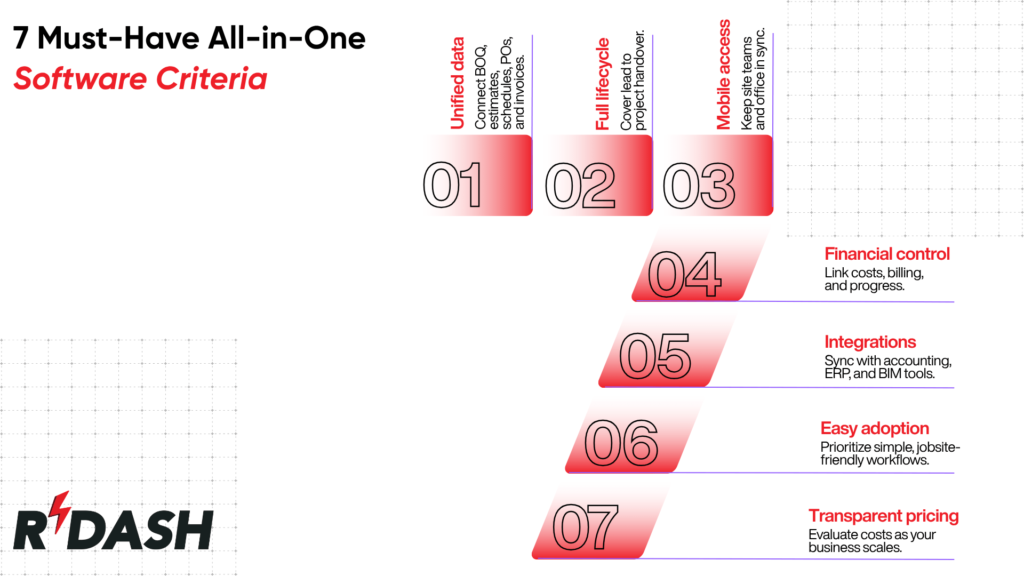
Almost every vendor claims to be all-in-one. These seven criteria separate a connected system from a well-marketed bundle. Use them as your scorecard.
- One data model, not many: A scope item created once should flow into the estimate, schedule, purchase order, invoice, and client bill. Platforms that keep a central BOQ or budget at the core avoid the reconciliation tax that erodes margins.
- The full lifecycle, from lead to handover: Look for pre-sales, estimation, design, scheduling, procurement, finance, field execution, snagging, and closeout. A gap at either end pushes you back into spreadsheets.
- Field and office on the same record: Site teams update progress from a phone, and the office sees it without a status call. A weak mobile app kills site adoption, and software nobody uses on site is not all-in-one in practice.
- Financial control tied to real progress: The strongest systems link procurement, billing, and cash flow to the installed value of work, so the project P&L reflects reality, not last month’s estimate.
- Integrations where depth is specialised: No platform should be your ERP, accounting ledger, and BIM authoring tool at once. Clean two-way sync with accounting and ERP systems matters more than owning every function.
- Usability that survives the jobsite: Breadth is useless if estimators, site engineers, and subcontractors avoid the tool. Onboarding time and interface clarity are features, not footnotes.
- Honest, predictable pricing: Per-user, flat-rate, and construction-volume models each scale differently. The real question is not the sticker price, but what the tool costs as your team and revenue grow.
No tool scores a perfect seven. The right choice is the one that scores highest on the criteria that matter for your work.
The 8 Best Platforms Compared at a Glance
The short answer: RDash leads for BOQ-driven developers and fit-out firms, Procore and Autodesk lead enterprise and BIM work, Buildertrend and Houzz Pro own residential, Contractor Foreman and Fieldwire win on budget and field use, and Oracle Aconex governs mega-projects. The table sets them side by side.
Pricing verified against official pages and reputable third-party sources in October 2026. Several vendors publish no rate card, so confirm current pricing directly. “Model” notes how each price scales.
Software | Best-fit users | Key capabilities | Notable limitations | Integrations | Pricing |
Developers, contractors, interior and fit-out firms, PMCs (India and the Middle East) | BOQ-centric project, design, procurement and finance; DPRs; approval hierarchies; element libraries; AI Co-pilot; 50+ dashboards | Smaller global footprint than US majors; not a BIM authoring tool; some AI agents still rolling out | Tally, Zoho, SAP, Oracle, MS Business Central, Odoo | Pro $1,000/user/yr, paid annually in advance (up to USD 25M annual project volume; implementation billed separately); Enterprise custom quote | |
Procore | Mid-to-large general contractors; full-lifecycle commercial work | Drawings, RFIs, submittals, budgets, change orders, scheduling, field tools; large app marketplace | Premium cost; bill scales with revenue; steeper learning curve | 500+ marketplace apps; major ERPs | Custom quote by Annual Construction Volume; unlimited users; no public rate card |
Autodesk Forma (formerly Construction Cloud) | BIM-led commercial and infrastructure; design-to-build teams | Best-in-class drawing and BIM coordination, Forma Build, Forma Takeoff, Forma Data Management, preconstruction suite | Priced per product; costs stack; renamed from Construction Cloud in March 2026; older docs use old names; favours design-heavy teams | Autodesk ecosystem (Revit, Navisworks); open APIs | Custom quote, per user and per product; third-party sources cite Build about $135 to $165/user/mo (annual) |
Buildertrend | Residential builders, remodelers, home builders | Scheduling, daily logs, CRM, client portal, selections, estimating, warranty | Pricing now fully demo-gated; estimating and reporting on higher plans; reported renewal increases | QuickBooks, Xero, Gusto | Custom quote (demo-gated); unlimited users; third-party sources report about $339 to $1,099/mo by plan |
Contractor Foreman | Budget-conscious small and mid-size contractors | Broad affordable suite: estimates, scheduling, time cards, safety, invoicing, takeoffs | Lighter depth per module; seats jump in blocks; basic reporting | QuickBooks, Stripe, Zapier, CompanyCam, Gusto | Published: Basic $49, Standard $105, Plus $166, Pro $221, Unlimited $332 per month (annual) |
Fieldwire (by Hilti) | Field crews, speciality contractors, drawings and punch-list work | Plan and drawing viewing, tasks, checklists, as-built markups, reporting | RFIs, submittals, and budgets only on top tier; per-user cost adds up; not full financials | Viewpoint, Sage Intacct (higher tiers) | Published: Free Basic (5 users); Pro $39, Business $64, Business Plus $89 per user/mo (annual) |
Oracle Aconex | Owners, EPCs, and GCs on large or complex capital projects | Common data environment; document control, transmittals, RFIs, model coordination, handover | Enterprise cost and setup; overkill for small teams; document-centric | Oracle ecosystem (Primavera, Textura) | Custom quote (Enterprise or Single-Project Cloud Service); add-ons separate; no public price |
Houzz Pro | Residential interior designers, remodelers, design-build | Lead-gen via Houzz marketplace, estimates, proposals, takeoffs, 3D tools, client portal | Residential-focused; full features need top tier; pricing largely demo and trial-based | QuickBooks | Third-party reported from about $99/mo (Starter) up to about $399/mo (teams); Ultimate custom; free trial |
Platform Reviews: Strengths, Limits, and Best Fit
RDash: Best for BOQ-Driven Developers, Contractors, and Fit-Out Firms
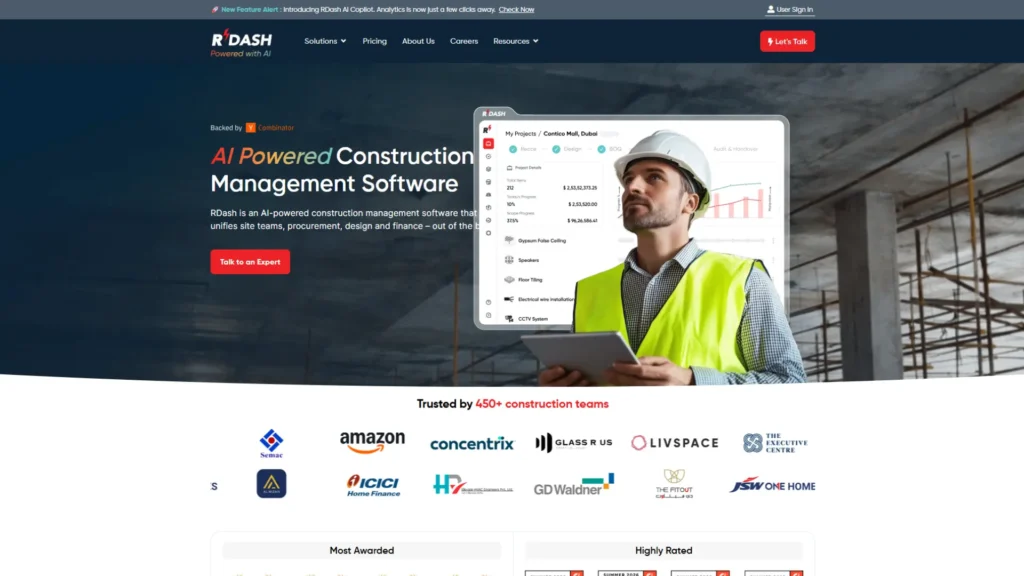
Best for: developers, main and speciality contractors, interior and fit-out firms, and PMCs that want design, procurement, and finance tied to the BOQ, especially in India and the Middle East.
RDash is built around one principle that sets it apart: keep the BOQ at the centre and tie everything to it. Scope, design files, schedules, purchase orders, invoices, site progress, and snags all reference the same line items, which is the connected-data-model test most rivals fail. It covers the full chain, from pre-sales CRM and quotations through design management, daily progress reports that auto-share to WhatsApp, procurement and installed-progress-linked finance, and an AI Co-pilot with 50+ dashboards. Approval hierarchies, element libraries, and vendor and client logins make multi-party coordination practical.
RDash is backed by Y Combinator (Winter 2022 batch), has won PropTech Company of the Year at the RICS South Asia Awards (2024 and 2025) and from ET Realty (India, 2024), is trusted by more than 450 construction teams, and publishes applied research such as its BOQ-centric execution white papers. The results are documented in project case studies. On an HVAC fit-out for a banking client in Kolkata, with a ₹7.76 crore BOQ of 170+ line items, the contractor reconciled more than 125 purchase orders against the master BOQ, covering roughly ₹5.5 crore of procurement spend.
Where it is not the fit: RDash concentrates on India, the Middle East, and South and Southeast Asia, so its global brand footprint is smaller than Procore’s or Autodesk’s. It is not a BIM authoring tool, so model-first teams working in Revit will still pair it with Autodesk. Some capabilities are still on the roadmap, including AI embedded inside workflows, three-way invoice matching, and AI-assisted reverse bidding. Its own numbers, such as 8 to 10 percent savings on project costs and a 20 percent improvement in cash flow visibility, reported by clients in India and the UAE, are vendor-reported outcomes and worth validating in a pilot.
For BOQ-driven execution across design, procurement, and finance, RDash is the benchmark in its segment. Compare it feature by feature on the RDash vs others page.
Procore: The Enterprise Standard for General Contractors
Best for: mid-to-large general contractors running commercial work across the full lifecycle.
Procore is the most established name in the category. It brings drawings, specifications, RFIs, submittals, daily logs, punch lists, change orders, budgets, and scheduling into one project record, with a strong mobile app and one of the largest integration marketplaces in construction. Pricing includes unlimited users, which suits projects with many subcontractors and stakeholders.
Where it falls short: Pricing is quote-based and tied to Annual Construction Volume, so the bill scales with revenue rather than headcount, and third-party reports describe renewal increases that surprise some buyers. There is no public rate card, and smaller firms often find the quote hard to justify. Breadth brings a learning curve, so teams usually need months to reach full productivity.
Autodesk Forma (Formerly Construction Cloud): Best for BIM and Design-Led Delivery
Best for: BIM-centric commercial and infrastructure contractors and design-build teams.
If your projects revolve around models and drawings, this is in a class of its own for design collaboration and BIM coordination. Forma Build (formerly Autodesk Build) handles project and cost management, Forma Takeoff covers 2D and 3D quantities, Forma Data Management (formerly Autodesk Docs) centralises documents, and Forma for Preconstruction (BuildingConnected Pro, Bid Board Pro, TradeTapp, ProEst, Forma Takeoff, Forma Estimate) manages bids and estimates. The tie-in with Revit and Navisworks is seamless.
Where it falls short. Autodesk Construction Cloud was renamed Autodesk Forma on 24 March 2026, so older reviews, training material, and integrations may still use the previous product names. Pricing is quote-based and licensed per user, per product, so costs stack as you add capabilities. Third-party sources put Forma Build at roughly $135 to $165 per user per month on annual billing, while Autodesk’s own pricing page sells its bundles by quote. Teams that are not design-heavy may pay for depth they will not use, and the cost module is lighter than a full construction ERP.
Buildertrend: Best for Home Builders and Remodelers
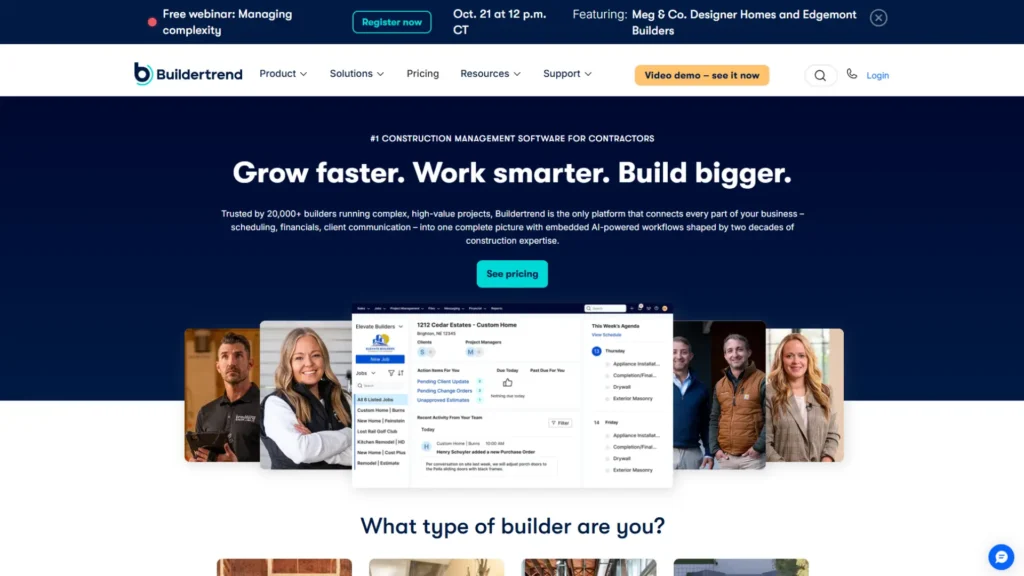
Best for: custom home builders, remodelers, and design-build firms focused on client communication.
Buildertrend is one of the most complete platforms for residential construction. Scheduling, daily logs, a CRM, a polished client portal, selections, warranty tracking, and estimating are all designed around the homeowner-facing nature of residential work. Plans include unlimited users, which keeps costs predictable as crews grow.
Where it falls short. Pricing is fully demo-gated, so the official page quotes you only after a form, with no public tiers listed. Third-party sources place the commonly reported plans (Essential, Advanced, Complete) at roughly $339 to $1,099 per month, with estimating and advanced reporting on higher plans. Some reviewers flag renewal increases and a learning curve for less technical crews.
Contractor Foreman: Best Value for Small Contractors
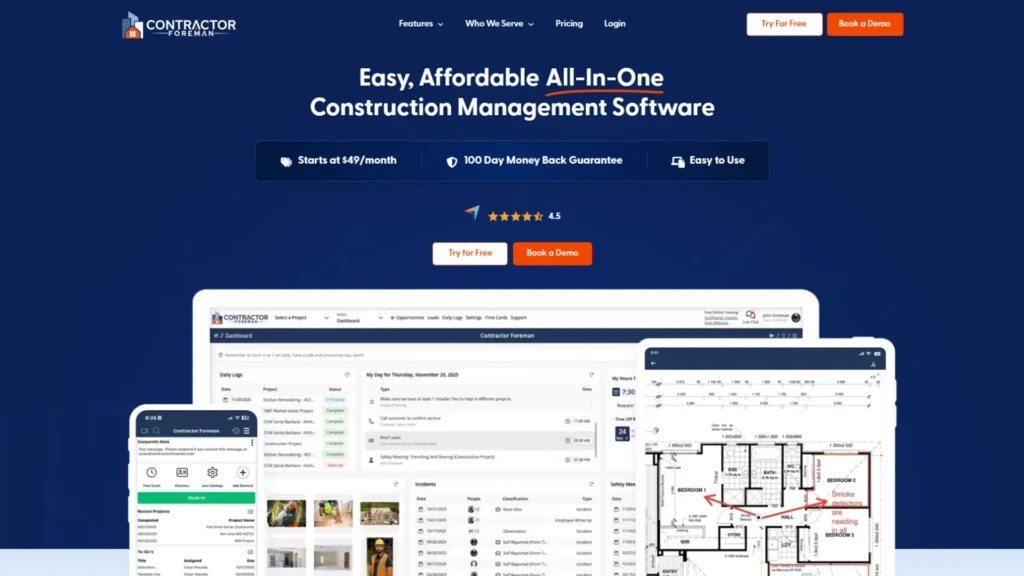
Best for: small and mid-size contractors that want broad features at the lowest public price.
Contractor Foreman delivers remarkable breadth for the price, and it is one of the few platforms here with fully public pricing: Basic at $49 per month (one user), then Standard $105, Plus $166, Pro $221, and Unlimited $332 per month, all on annual billing. Estimates, scheduling, time cards, safety, daily logs, takeoffs, and invoicing come in one affordable suite, a low-friction entry point for teams leaving spreadsheets.
Where it falls short. Affordability shows in depth. Individual modules are lighter than specialist tools, reporting customisation is basic, and seats jump in blocks of 1, 3, 8, 15, and unlimited, so a 4-person or 9-person crew can overpay. QuickBooks and local-pricing databases sit on higher tiers.
Fieldwire by Hilti: Best for Field Teams and Drawings
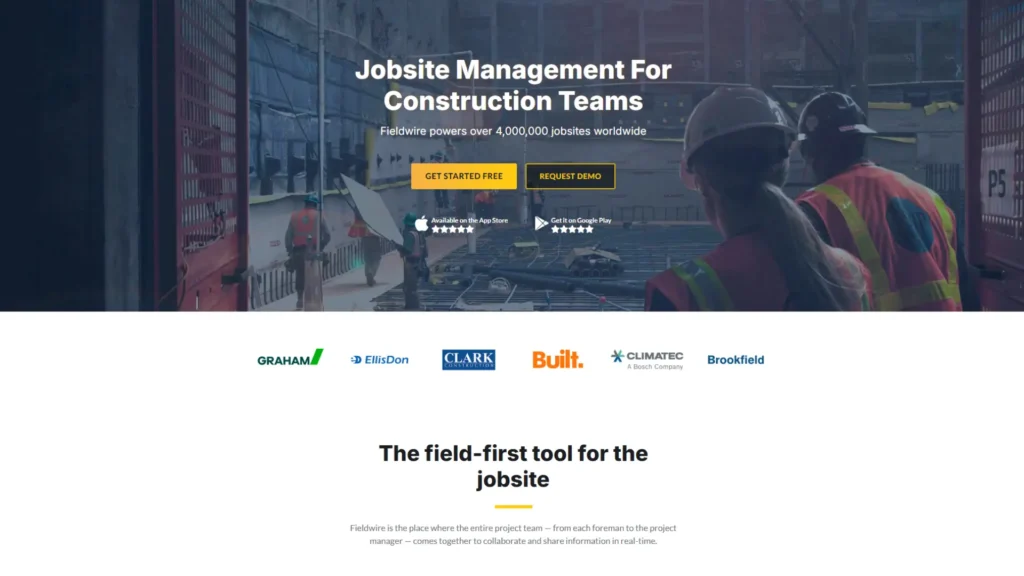
Best for: speciality and general contractors who want fast plan management and field coordination.
Fieldwire is built for the people on site. Plan and drawing viewing with version control, task assignment, checklists, punch lists, and as-built markups are fast and genuinely mobile-first. Its pricing is transparent: a free Basic tier (up to 5 users and 3 projects) and paid plans at $39 (Pro), $64 (Business), and $89 (Business Plus) per user per month, billed annually.
Where it falls short. It is a field-execution tool more than a full business platform. RFIs, submittals, change orders, and budget management sit only on the top Business Plus tier, and it does not replace accounting or deep financials. Per-user pricing also climbs quickly for larger crews, so many teams run it alongside a broader platform rather than in place of one.
Oracle Aconex: Best for Mega-Project Document Control
Best for: speciality and general contractors who want fast plan management and field coordination.
Fieldwire is built for the people on site. Plan and drawing viewing with version control, task assignment, checklists, punch lists, and as-built markups are fast and genuinely mobile-first. Its pricing is transparent: a free Basic tier (up to 5 users
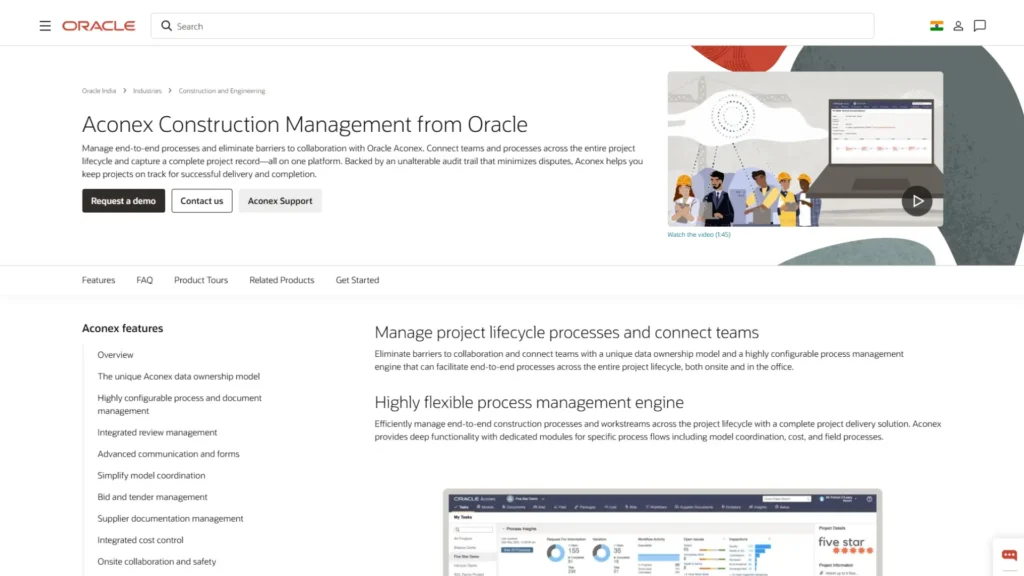
Best for: owners, EPCs, and large contractors delivering complex infrastructure and capital projects.
Aconex is a common data environment (CDE) proven on some of the world’s largest capital projects. Its strength is formal document control, including registers, version control, transmittals, correspondence, RFIs, submittals, and model coordination, backed by an unalterable audit trail and a data-ownership model where each organisation keeps control of its own information. On programs with millions of documents and strict compliance demands, few tools match it.
Where it falls short. It is enterprise-grade in both capability and cost. Pricing is quote-based (Enterprise or Single-Project Cloud Service, with add-ons licensed separately), implementation is involved, and the document-centric model is overkill for small contractors or fast-moving fit-out work.
Houzz Pro: Best for Residential Designers Who Want Leads
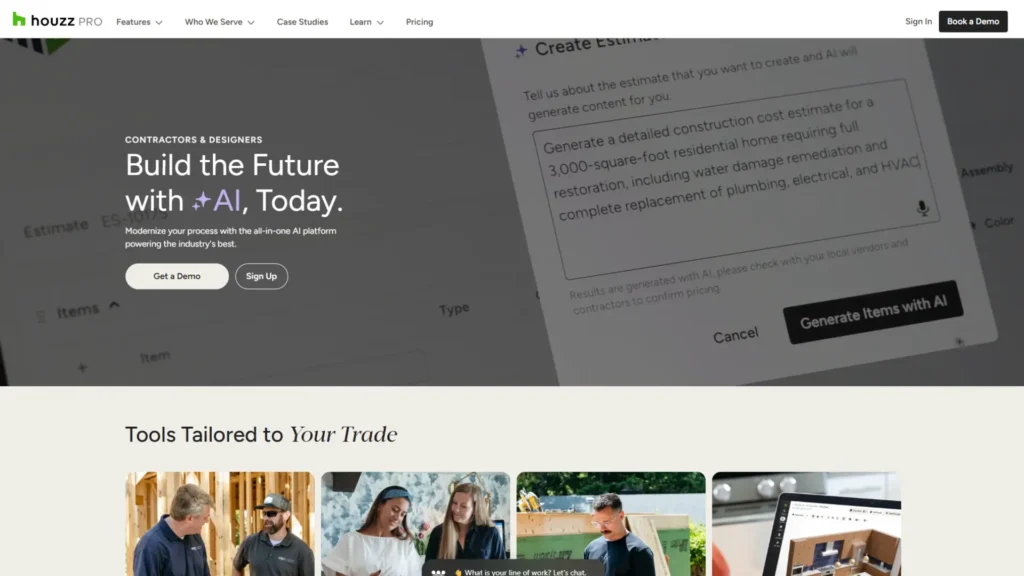
Best for: interior designers, remodelers, and small design-build firms that want client acquisition and project management together.
Houzz Pro pairs the Houzz consumer marketplace with business software, so it is as much a lead-generation engine as a management tool. Estimates, proposals, AI-assisted takeoffs, 3D floor plans, a client portal, and invoicing are tailored to residential designers and remodelers, and the marketplace profile feeds new work into the same system.
Where it falls short. It is firmly residential and design-focused, so it will not suit commercial GCs or infrastructure teams. Pricing is largely demo- and trial-gated, with third-party sources reporting tiers from about $99 per month (Starter) up to about $399 per month (teams) and a custom Ultimate plan. Full functionality sits on the higher tiers.

How to Choose the Right Construction Management Software
Start from your work, not the feature list. Five questions do most of the filtering.
- Project size and type: Enterprise GCs and infrastructure programs lean toward Procore, Autodesk, or Aconex. Developers, contractors, and interior or fit-out firms are best served by RDash. Residential builders fit Buildertrend, residential designers fit Houzz Pro, lean field teams fit Fieldwire, and budget-first small contractors fit Contractor Foreman. Mordor Intelligence notes that mid-size projects of USD 50 million to 500 million make up the largest share of deployments, the segment where connected cost control pays off fastest.
- Business type and workflows: A home builder living in client selections has different needs from a developer tracking BOQ-linked cash flow across sites. Map your three or four highest-pain workflows first, then test each shortlisted tool against exactly those.
- Financial controls: If margin leakage and cash flow are the real problems, prioritise tools that tie procurement and billing to installed progress and give you a live project P&L, not just scheduling and document storage. This is where a BOQ-centric platform like RDash earns its place.
- Integrations: Decide what stays specialised, such as accounting, ERP, and BIM authoring, and confirm clean two-way sync before you commit. The right platform connects to those systems instead of forcing you to abandon them.
- Usability and budget: Run a short pilot with real site and office users, and weigh total cost of ownership, including license, implementation, training, and renewals, against the time and margin the tool recovers.
Implementation: What to Plan Before You Roll Out
The software decision is only half the job. Rollout determines whether it sticks, so plan for five things.
- Data migration: Moving historical projects, element libraries, and vendor data is usually the biggest lift. Ask each vendor who owns migration and how long it takes.
- Change management: Site teams resist tools that slow them down. A phased rollout, one workflow or one project at a time, beats a big-bang switch.
- Onboarding and training: Confirm what is included versus billed separately, because published license prices rarely cover implementation.
- Total cost of ownership: Factor in renewal increases, per-user growth, and add-on modules. A low entry price with steep scaling can cost more over three years than a higher flat rate.
- A measured pilot: Before a full commitment, run one live project and track approval turnaround, follow-up volume, and cost variance against your current process.
Final Verdict: Which Construction Software Should You Choose?
Match the platform to your work. Procore and Autodesk set the bar for enterprise and BIM-led delivery. Buildertrend and Houzz Pro own residential building and design. Contractor Foreman and Fieldwire serve budget and field-first needs. Oracle Aconex governs the document-heavy mega-project.
For developers, contractors, and interior fit-out firms that want design, procurement, and finance connected through the BOQ, RDash is the clear choice, and the results are documented rather than promised. Shortlist two or three tools, run a real pilot, and measure the outcome against your current process. The right platform will not just store your project. It will protect your margin. See how RDash links the full chain on one platform, or compare the plans to find your fit.
Frequently Asked Questions
What is the best all-in-one construction management software in 2026?
There is no single best tool for everyone. RDash is the strongest fit for developers, contractors, and fit-out firms that need BOQ-linked design, procurement, and finance. Procore and Autodesk lead enterprise and BIM work, while Contractor Foreman and Fieldwire win on budget and field use.
What is the best construction management software for small contractors?
Contractor Foreman is the strongest value all-in-one for small and mid-size contractors, with public pricing from $49 per month. Field-first teams may prefer Fieldwire, which has a free tier and low-cost per-user plans.
Which construction management software works best in India?
Look for BOQ-based workflows, country-specific tax configuration, and integrations with Tally or Zoho. RDash is built in India around these workflows. Autodesk Forma also offers an India data region for teams standardised on Autodesk.
How much does construction management software cost in 2026?
It ranges widely. Fieldwire starts free or around $39 per user per month, Contractor Foreman publishes plans from $49 to $332 per month, residential platforms run into the hundreds per month, and enterprise systems like Procore and Aconex quote on construction volume and often reach five figures a year. Always confirm current pricing with the vendor.
Does all-in-one software replace my accounting or ERP system?
Usually not, and it should not try to. The best platforms integrate two-way with accounting and ERP tools such as QuickBooks, Tally, Zoho, SAP, and Oracle, so project data and financial ledgers stay in sync without double entry.
Is Procore worth it for a small contractor?
Procore is powerful but priced for volume. Smaller firms often find the quote hard to justify and choose a flat-rate or lower-cost alternative until their project volume grows.
How long does implementation take?
Simple tools can go live in days, while enterprise platforms often take months. Ask specifically about data migration, training, and whether onboarding is included in the price.
Which construction management software is best for interior and fit-out firms?
RDash is built for developers, contractors, and interior and fit-out firms, keeping the BOQ at the centre of quotations, design, procurement, site progress, and finance. Houzz Pro suits smaller residential designers who also want leads, and enterprise GCs on heavy commercial work may prefer Procore.
Can one platform replace spreadsheets, WhatsApp, and separate accounting tools?
Yes, for day-to-day project execution. An all-in-one platform like RDash consolidates BOQs, approvals, site updates, and cost tracking that usually live in spreadsheets and chat. It does not replace your accounting ledger, but it pushes and pulls purchase orders, invoices, payments, and expenses with tools such as Tally, Zoho, Odoo, SAP, Microsoft Business Central, and Oracle, so you avoid double entry.
Is there free construction management software for small teams?
Fieldwire offers a free Basic plan for up to 5 users, 3 projects, and 100 sheets, which covers drawings, tasks, and checklists for a small crew. It is field-focused rather than a full business suite, so teams that need estimating, procurement, or financials usually move to a paid plan or a broader platform.