


🚀 New Feature Alert : Introducing RDash AI Copilot. Analytics is now just a few clicks away.  Check Now

Backed by

AI and Power Features

Power every team with AI co-pilot, contextual tasks, structured approvals, element libraries, real-time analytics, and deep integrations across ERP and business systems.

Backed by

AI and Power Features

Power every team with AI co-pilot, contextual tasks, structured approvals, element libraries, real-time analytics, and deep integrations across ERP and business systems.

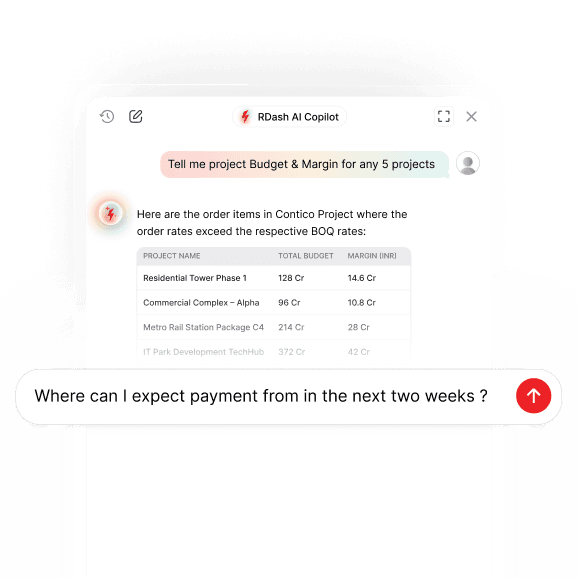
RDash AI Copilot interface displaying project budget and margin insights through a conversational chat window. The AI assistant enables users to query project data, analyze financial performance, and access real-time business intelligence using natural language.

RDash AI Co-pilot

Prompt based analytics on qualitative data helps you know margin leakages and time-lags in seconds. Understands RDash capabilities and guides you on how to use RDash for your use-case. Remembers chat history, can render data tables and graphs, and provides a fairly deep response for curated queries. More exciting things are under development where RDash AI Co-Pilot will become the smart assistant to proactively follow-up on delays and will flag risks before you bleed money.

Task Manager

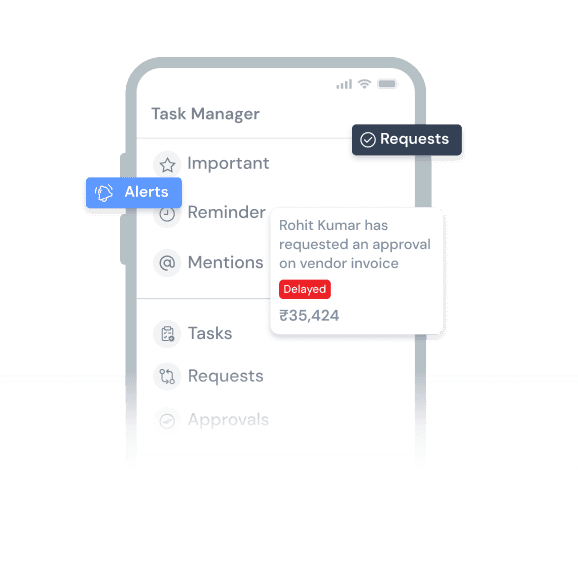
Turns every piece of information i.e. a photograph, an order element, expense request, snag etc. into a shared workspace. Go inside the design files or photographs and initiate conversation at specific places inside the document.

Task management dashboard displaying alerts, approval requests, reminders, and notifications. The interface helps teams track pending actions, vendor invoice approvals, and workflow updates in a centralized workspace.
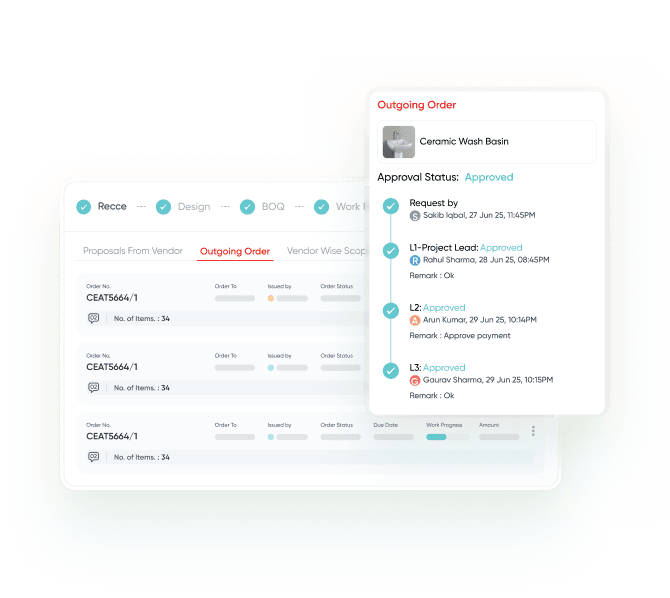
Procurement approval dashboard displaying outgoing orders, approval status, and multi-level authorization workflows. The interface enables construction teams to track purchase approvals, monitor order progress, and maintain accountability throughout the procurement process.

Approval Hierarchy

Setup approval workflows in Order, Invoices, Purchase Requests, Expense Requests, and Payment Requests. Approvals are linked to task manager.

Element Libraries

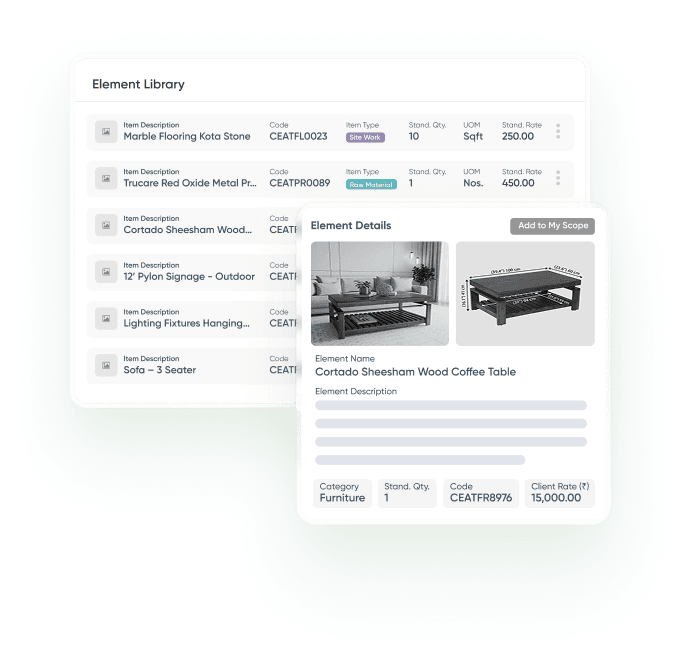
Create a master catalogue of items for creating BOQ, Orders, and Rate-Contracts. Share catalogue with clients and vendors. Vendors can create scope of work by picking items from your catalogue which auto-converts into a PO post approval.

Element library dashboard displaying standardized construction materials, furniture, fixtures, and design components. The interface enables teams to browse item specifications, view product details, manage quantities, and add approved elements to project scopes and estimates.
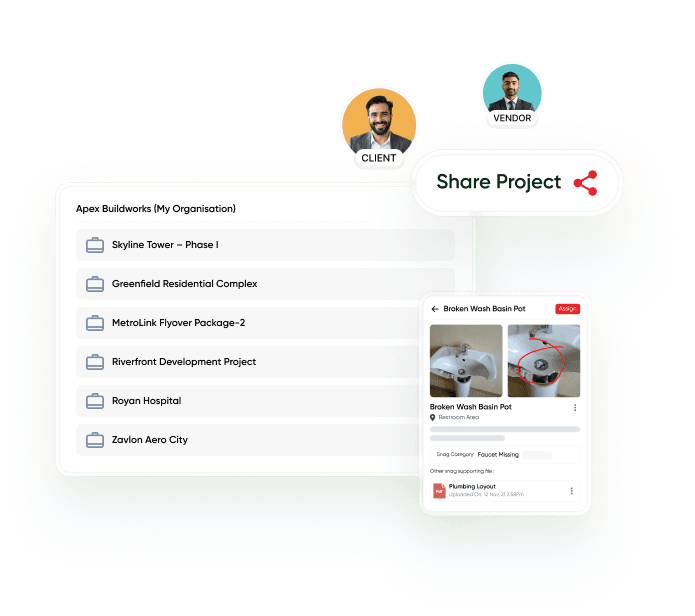
Project collaboration dashboard displaying shared construction projects, snag tracking, and issue management between clients and vendors. The interface enables teams to share project updates, assign tasks, track defects, and collaborate throughout project delivery.

Third Party Collaborators

Create client and vendor logins and Share your project access to automate reconciliation and improve accountability.

Analytics

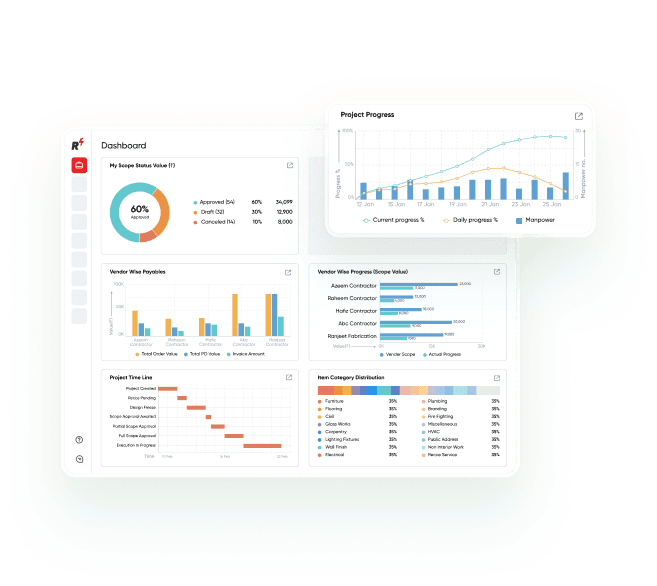
Visualize data in intuitive graphs and tables, build custom dashboards, subscribe to MIS reports

Construction project dashboard displaying scope status, project progress, vendor performance, payables, timelines, and workforce analytics. The interface provides real-time visibility into project health, execution progress, and operational performance across construction projects.
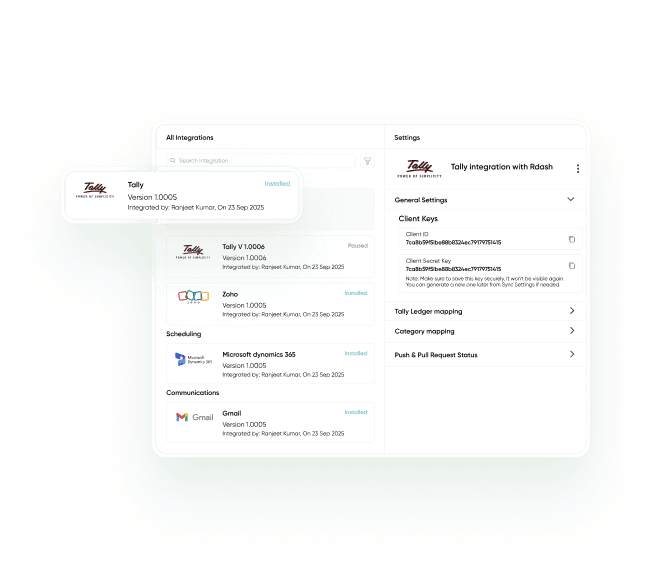
Integrations dashboard displaying connected business applications such as Tally, Zoho, Microsoft Dynamics 365, and Gmail. The interface enables seamless data synchronization, accounting integration, workflow automation, and centralized system management for construction operations.

Integration

Push and pull data from ERP and accounting applications. Customized integrations available with business apps

Manage Your Projects Anytime, Anywhere!

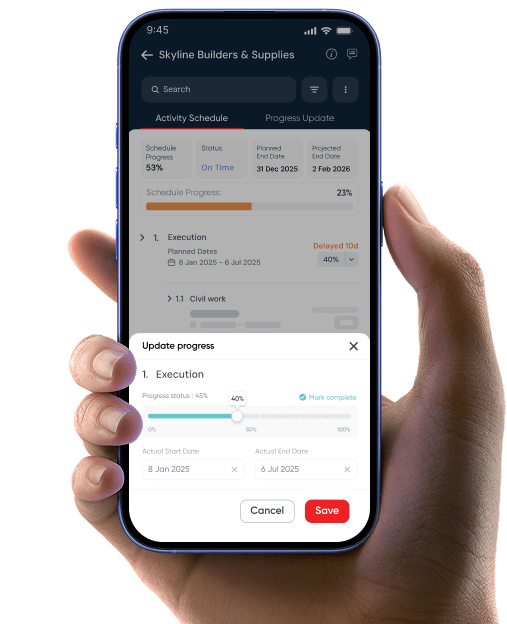
Get the RDash App on Android & iOS for seamless project tracking, vendor management, and real-time updates—right from your mobile.

*AVAILABLE ON

Mobile construction project management app displaying activity schedules, progress tracking, and task updates. The interface enables field teams to monitor project status, update progress, and manage construction activities directly from a smartphone.

FAQs: Here’s everything you may ask...

What are Power Features in RDash?

Power Features in RDash are advanced capabilities that enhance control, visibility, and decision-making across projects. These features work across all modules, helping teams standardise processes, improve accountability, and gain real-time insights without adding operational complexity.

RDash is designed to reduce dependency on disconnected tools such as Excel, WhatsApp, and email by bringing communication, tracking, and documentation onto one platform. This minimises data loss, miscommunication, and delays caused by information being spread across multiple systems.

Power Features are designed for everyone involved in a project, including site teams, project managers, design teams, operations, and leadership. They help individual users improve daily productivity while also giving managers and leadership better visibility, control, and consistency across multiple projects.

RDash offers three pricing plans – RDash Lite, RDash Pro, and RDash Enterprise plan; designed to suit different team sizes and project requirements. Each plan varies based on features, scale, and usage. You can explore detailed plan-wise pricing and inclusions on the RDash Pricing page.

RDash is ideal for owners, main contractors, subcontractors, design studios and PMCs involved in commercial interiors and other construction projects. Our unlimited-user model is designed to encourage all stakeholders and teams in your organization to collaborate on a single platform.

Ready to get started?

Fill out the form below and we will contact you as soon as possible.

Features
Pricing
About Us
Careers
Company
Resources

Ready to get started?

Fill out the form below and we will contact you as soon as possible.

Play Video
Play Video