
Key Takeaways
- The right Autodesk Construction Cloud alternative depends on your needs. Full platforms (Procore, RDash) run whole projects, while specialists (Dalux, Bluebeam) fix one workflow.
- Autodesk Construction Cloud became part of Autodesk Forma on 24 March 2026. The tools and workflows are unchanged; only the branding and names are new.
- Full platforms (Procore, Trimble ProjectSight, RDash, CMiC) run projects end to end. Specialist tools handle one job, such as documents, BIM, field tasks, or markups, and often do it better.
- Fieldwire and Bluebeam publish their pricing, and Contractor Foreman starts at $49/month. Forma, Procore, Aconex, CMiC, and Buildertrend are quote-based.
- RDash uses unlimited-user pricing and is strong on BOQ, procurement, and finance, which suits contractors and fit-out firms that want tight commercial control.
- Oracle Aconex is the leading choice for neutral document control and a common data environment on large, multi-party design-build projects where each party owns its data.
- Per-user pricing climbs quickly once subcontractors, consultants, and owners need access. Weigh total cost, migration, and team adoption, not just the headline seat price.
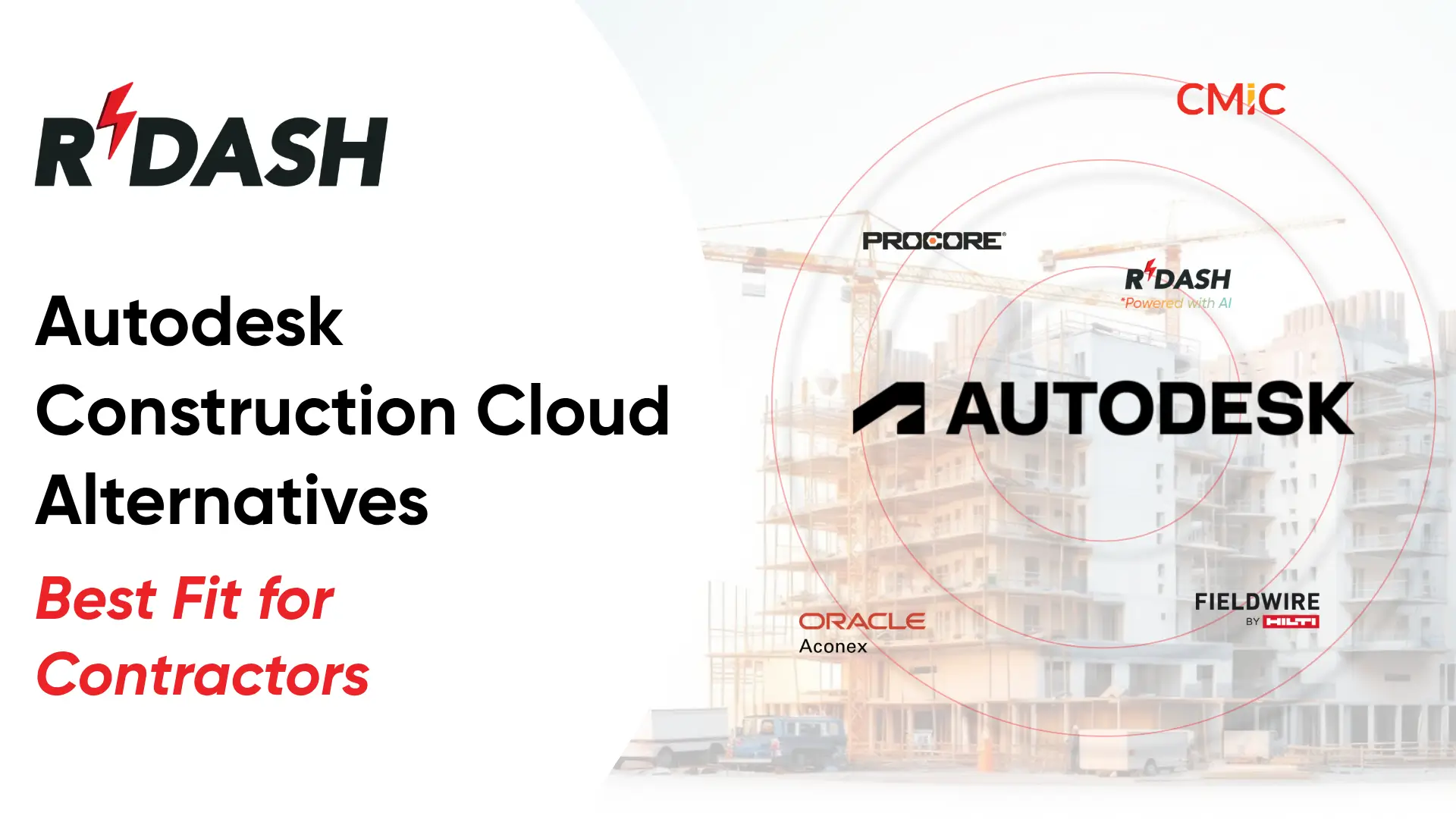
Autodesk Construction Cloud (ACC) is now part of Autodesk Forma. The change took effect on 24 March 2026. The tools themselves did not change (Build is still Build, Takeoff is still Takeoff), but the brand on your quotes, invoices, and licensing is now Forma, and existing customers do not need to migrate any data.
This changes your evaluation. The platform you are comparing against is no longer a standalone construction cloud. It is the construction layer of a wider design-to-operations industry cloud, closely tied to Revit, AutoCAD, Civil 3D, and the rest of the Autodesk ecosystem. For some contractors, that connected design-to-build setup is exactly right. For others, including general contractors, specialty trades, fit-out and interior firms, residential builders, and teams outside heavy BIM workflows, it can feel design-first, expensive, or heavier than the job requires.
This guide covers eleven options, separates full construction management platforms from specialist tools, and gives you a selection framework based on what contractors need on site and in the back office. Our assessments draw on vendor documentation, official pricing pages, and public user reviews, with primary sources linked throughout. We did not run a hands-on lab test of every product.
Why Contractors Look Beyond Autodesk Construction Cloud
Autodesk Construction Cloud (now Forma) is a widely used platform. Contractors still look at alternatives for a few practical, recurring reasons.
It can feel design-first rather than construction-first: Forma’s strength is connecting design and construction through BIM and the Autodesk authoring stack. If your team does not work in Revit or run model-based workflows, a large part of what you pay for goes unused.
Cost and quote-based pricing: Autodesk Forma is sold through three solution bundles (Model Management, Preconstruction, and Construction Operations) with flexible user-, project-, and account-based pricing and no public per-seat rate. You have to request a quote to learn your number, which slows comparison and can surprise smaller firms.
More breadth than you may need: A general contractor running interiors or mid-size commercial work rarely needs clash detection, 4D/5D simulation, and reality capture on day one. Paying for a full design-to-operations suite just to get RFIs, drawings, and daily reports is a common source of buyer’s remorse.
Implementation and adoption effort: Powerful platforms come with setup work: templates, permissions, and training. Teams that need to be live in days, not months, often look for something lighter.
Commercial control gaps for some regions and sectors: Contractors who manage work by BOQ, rate contracts, installed-value billing, and procurement (common in India, the Middle East, and fit-out work) often want those workflows built in rather than added on.
In short, contractors rarely leave Forma because it is weak. They leave because another tool fits their workflow, team, or budget better.
Full Platforms Vs Specialist Tools
Most “alternatives” lists mix these two categories together, which leads buyers to compare a $260-per-year markup tool against a full enterprise platform as if they were interchangeable. They are not.
Full construction management platforms run the project end to end (preconstruction, field execution, documents, cost, and closeout) in one system. They replace multiple point tools and are usually priced for the whole team. Examples here: Autodesk Forma, Procore, Trimble ProjectSight, RDash, CMiC, Buildertrend, Contractor Foreman.
Specialist tools do one job well and plug into a wider stack. They are often cheaper and faster to adopt, and they usually lead in their own area, but they are not meant to run an entire project alone. Examples here: Oracle Aconex (document control and CDE), Dalux (BIM coordination and model-based field work), Fieldwire (field task and plan management), Bluebeam Revu (PDF markup and takeoff).
How to decide which you need. If your problem is that your tools do not talk to each other and you have no single source of truth, you likely need a platform. If one specific workflow, such as markups, model coordination, or document control, is broken, a specialist tool may fix it faster and cheaper. Many contractors run one platform plus one or two specialists, and that setup works well.
How We Evaluated These Alternatives
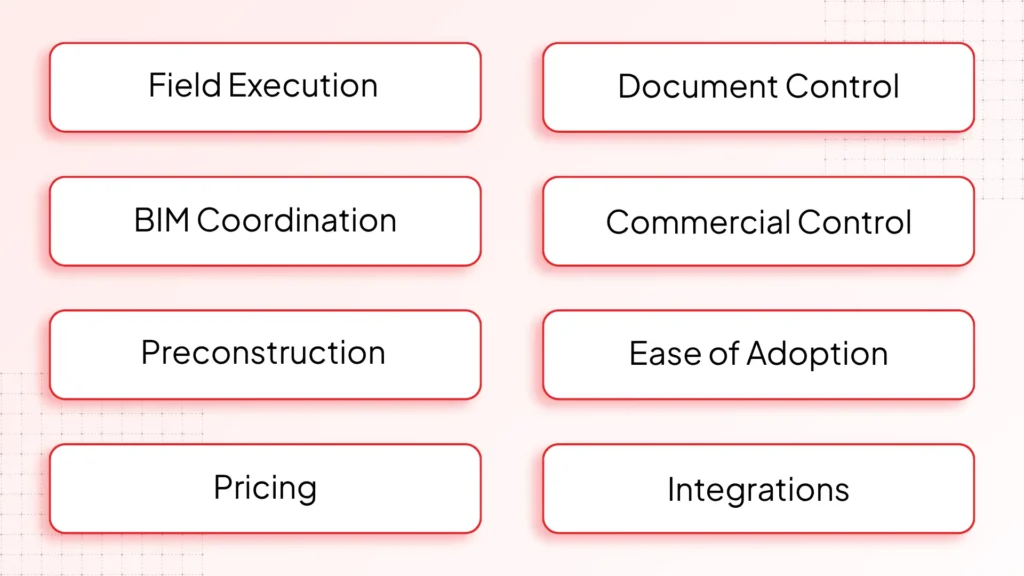
Instead of repeating a vendor’s marketing ranking, we scored each option against eight things contractors rely on. You can use the same list as your own checklist.
- Field execution: tasks, punch/snag lists, daily reports, photos, and a mobile app crews will actually open.
- Document and drawing control: version control, a common data environment, RFIs, submittals, and transmittals.
- BIM and model coordination: model viewing, clash detection, and issue tracking against the model.
- Commercial control: BOQ, budgets, cost tracking, procurement, change orders, and billing.
- Preconstruction: 2D/3D takeoff, estimating, and bid management.
- Adoption speed: how quickly a mixed site-and-office team gets live and productive.
- Pricing model and total cost: per-user vs unlimited, published vs quote-based, and how cost grows with subs and consultants.
- Integrations and ecosystem: ERP, accounting, design tools, and open standards.
No product is best on all eight. The right choice is the one that scores highest on the three or four that matter most to your projects.
Comparison Table: Autodesk Construction Cloud Alternatives At A Glance
Pricing is current as of October 2026 and changes often, so confirm with the vendor. “Quote-based” means the vendor does not publish per-seat pricing.
Platform | Category | Best-fit contractor | Key features | Strengths | Limitations | Pricing model |
RDash | Full platform (AI-powered) | Contractors, developers, and fit-out/interior firms | BOQ and change orders, procurement, finance, DPR, snags, AI Copilot | Unlimited users, strong commercial control, fast deployment | Not a BIM-authoring or clash tool; strongest in India/MENA | 3 plans; unlimited-user |
Procore | Full platform | Mid-to-large GCs and owners wanting one system | Project, cost and financials, field, drawings, RFIs, submittals | Very broad, strong financials, large app marketplace | Quote-only; can be heavy and costly for small teams | Quote-based (per user) |
Trimble ProjectSight | Full platform (mid-market) | Contractors wanting PM and cost control without enterprise weight | Document control, RFIs, submittals, change orders, cost, field | Solid project controls; Trimble ecosystem | Mobile app weaker than desktop; dated UI in parts | Quote-based (per user) |
CMiC | Full platform (construction ERP) | Large/enterprise GCs, specialty and heavy-civil firms | Financials, job costing, payroll, PM, project controls, field | Single-database ERP, deep unified financials | Implementation complexity; enterprise cost | Quote-based (enterprise) |
Buildertrend | Full platform (residential) | Home builders and residential remodelers | Scheduling, budgets, selections, client portal, change orders, daily logs | Client-facing workflows, no per-user fees | Residential focus; pricing now quote-based | Quote-based (flat-rate) |
Contractor Foreman | Full platform (budget) | Small and mid-size GCs and trade contractors | Estimating, scheduling, daily logs, time tracking, invoicing, RFIs, safety | Low published price, broad feature set, not revenue-based | Less depth; basic reporting | Published: $49 to $332/mo by tier (annual) |
Oracle Aconex | Specialist: document control / CDE | Owners and large, multi-party design-build programs | Secure document control, workflows, CDE, model coordination, field | Neutral CDE, each party owns its data, audit-grade control | Document-centric; enterprise complexity and cost | Quote-based (project/enterprise) |
Dalux | Specialist: BIM coordination and field | Coordination-heavy and model-based site teams | Free BIM/IFC viewer, field QA, snagging, model-based tasks | Fast mobile BIM, free tiers, easy field use | Not a full cost/financials platform; BIM learning curve | Free viewer and Field Basic; paid tiers quote-based |
Fieldwire by Hilti | Specialist: field management | Field crews, subs, and supers needing task and plan control | Plan-pinned tasks, punch lists, inspections, markups, RFIs | Transparent per-user pricing, strong free tier, mobile-first | Not back-office (no accounting or invoicing); seat costs add up | Free Basic; Pro $39 / Business $64 / Business Plus $89 per user/mo (annual) |
Bluebeam Revu | Specialist: PDF markup and takeoff | Estimators and teams doing drawing review and markup | PDF markup, measurements, takeoff, Studio collaboration | AEC-standard markups, transparent pricing, mix-and-match tiers | Not a PM suite; advanced tools Windows-desktop only | Basics $260 / Core $330 / Complete $440 per user/yr |
The 10 Best Autodesk Construction Cloud Alternatives For Contractors
Each entry follows the same structure (who it fits, what it does well, and where it falls short) so you can compare the options on equal terms. We start with the incumbent, then cover the full platforms, then the specialists.
1. RDash: AI-powered platform built around commercial control
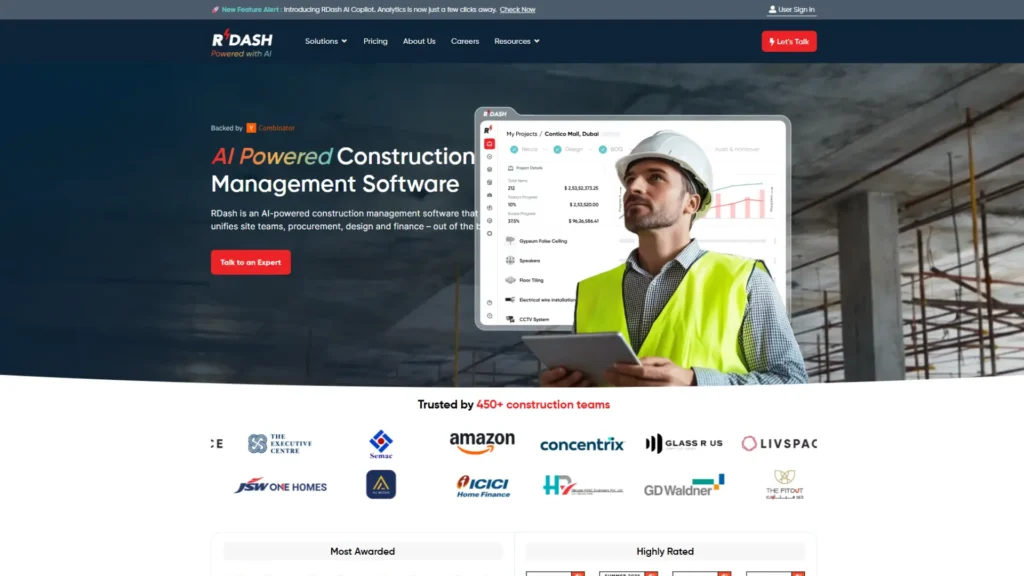
RDash is an AI-powered construction management platform that brings site, procurement, design, and finance teams together. Its project and design management covers scheduling, design version control, BOQ and change orders, daily progress reports, site surveys, and snag management. Its procurement and finance management adds rate contracts, vendor orders and invoicing, material GRN, bill of materials, installed-progress billing, and site-expense tracking. On top of that, it includes an AI Copilot for analytics, 50+ dashboards, approval hierarchies, and ERP/accounting integrations. RDash is backed by Y Combinator (alongside Stellaris and Zacua Capital), is used by 450+ construction teams, and runs an unlimited-user pricing model across three plans, so inviting every subcontractor, client, and stakeholder does not raise your bill.
Who should consider it? General contractors, specialty contractors, developers, and design-and-build or fit-out firms, particularly in India and the Middle East, who want tight control over BOQ, procurement, cost, and site progress on one platform.
Where it falls short. RDash is not a BIM-authoring or clash-detection tool. If model coordination is your core need, pair it with a specialist or choose a BIM-led platform. Its strongest customer base is in India and the Middle East and in fit-out and interiors, so contractors elsewhere should confirm regional fit during a demo.
2. Procore: the broad enterprise platform
Procore is one of the most comprehensive construction management platforms available, covering project management, cost and financials, quality and safety, drawings, RFIs, and submittals. Procore reports that more than three million projects across 150+ countries have run on its platform. Its App Marketplace and ERP/accounting integrations make it a strong base for complex, multi-project operations, and its volume-based pricing allows unlimited users across the platform.
Who should consider it. Mid-to-large general contractors, owners, and specialty contractors who want one connected system for project management, financials, and field work across a portfolio.
Where it falls short. Procore is quote-based, so you have to contact the vendor for pricing, which slows comparison. For smaller firms or service-first contractors, it is often too much platform, and its breadth carries cost and onboarding effort that only pay off at scale.
3. Trimble ProjectSight: mid-market project controls
ProjectSight comes from the lineage of Trimble’s Prolog and focuses on project documentation, coordination, and budget and cost control for contractor project teams of varying sizes. It covers the core office-side controls most GCs need and connects to Trimble’s broader construction stack.
Who should consider it. Contractors who want solid document control, RFIs, submittals, change orders, and cost management without full enterprise weight, especially teams already in the Trimble ecosystem.
Where it falls short. Users commonly report that the mobile app lacks feature parity with the desktop version, and some find performance and navigation slower than newer competitors. Pricing is quote-based. It is a sensible mid-market pick, but check the mobile field experience carefully if your crews work mainly on tablets.
4. CMiC: construction ERP on a single database
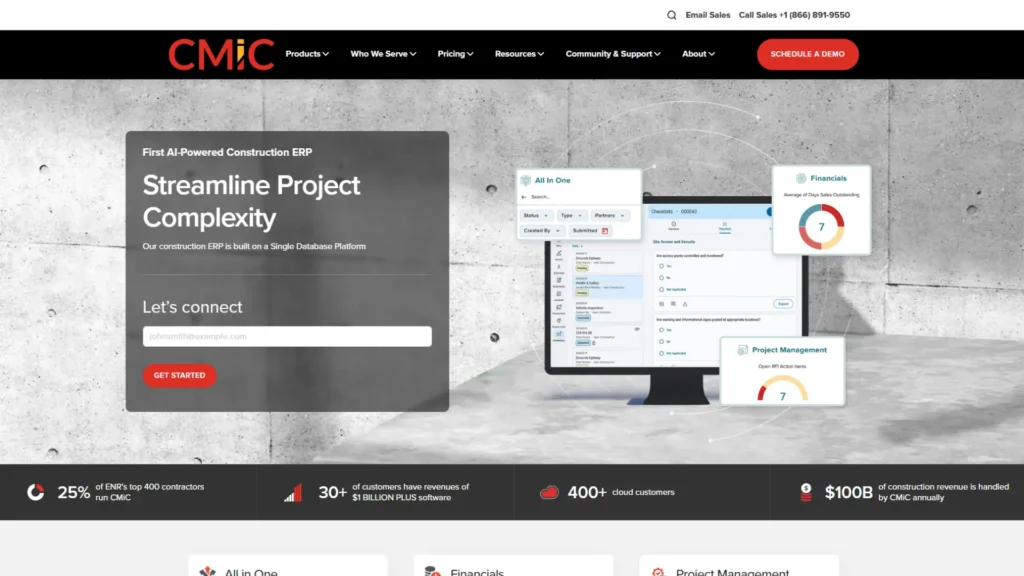
CMiC is a construction-specific ERP built on what it calls a Single Database Platform, combining financials, job costing, payroll, project management, and project controls on one shared data model. This removes the gap between accounting and field operations that contractors otherwise bridge with connectors and manual reconciliation. CMiC reports that one in five general contractors on Engineering News-Record’s Top 400 list run on its platform, and it has added AI capabilities across the suite.
Who should consider it. Large and enterprise general contractors, specialty contractors, and civil or heavy-highway firms that want construction project management and accounting/ERP in one system rather than two stitched together.
Where it falls short. ERP depth comes with ERP effort. Implementation is complex, time-to-value is longer than with a lightweight platform, pricing is quote-based, and the system is usually too much for small or mid-size firms without the resources to roll it out properly. Some reviewers also describe the interface as dated or heavy. It suits enterprise builders who need unified financials more than a quick deployment.
5. Buildertrend: residential and home-builder focus
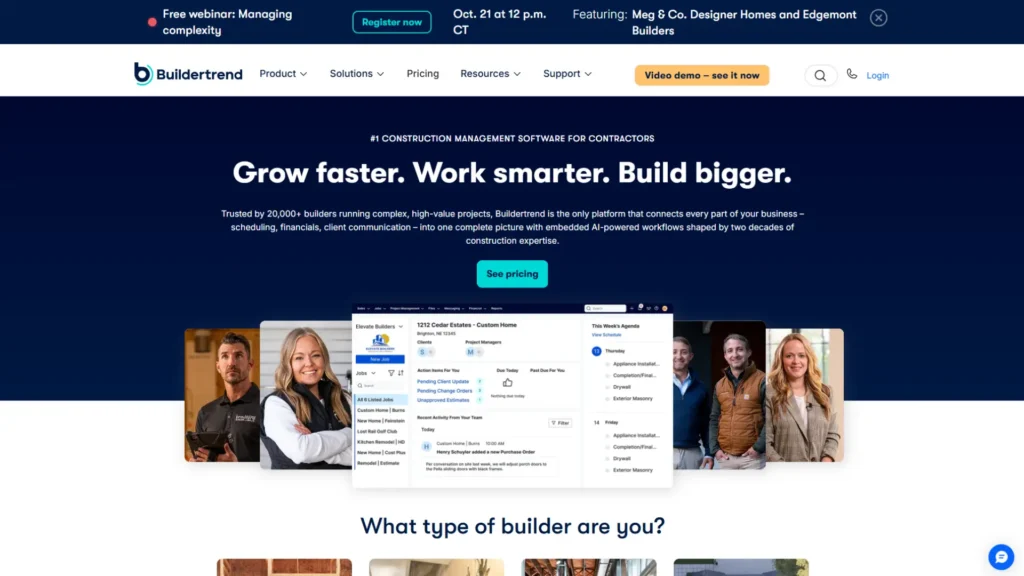
Buildertrend is purpose-built for residential workflows. It covers scheduling, budgeting, change orders, client selections, a client portal, daily logs, invoicing, and lead/CRM features. Its 2021 acquisition of CoConstruct strengthened its position in residential construction management, and its historically flat-rate model with no per-user fees suits builders who want to add field and office users without watching a seat count. User research shows its base skews heavily toward small construction businesses, which matches its design.
Who should consider it. Home builders, residential remodelers, and custom-home or design-build residential firms that need client-facing scheduling, selections, budgets, and communication in one place.
Where it falls short. It is built for residential, not heavy commercial or infrastructure work, so a commercial GC will find it a poor fit. Some reviewers find the range of features unintuitive and loosely integrated. Buildertrend also moved from published tiers to quote-based, volume-based pricing in 2026, which reduces transparency, and the reduced competition after the CoConstruct merger has raised pricing concerns among some contractors. Get a current quote and a hands-on trial before committing.
6. Contractor Foreman: budget-friendly breadth for small and mid-size trades
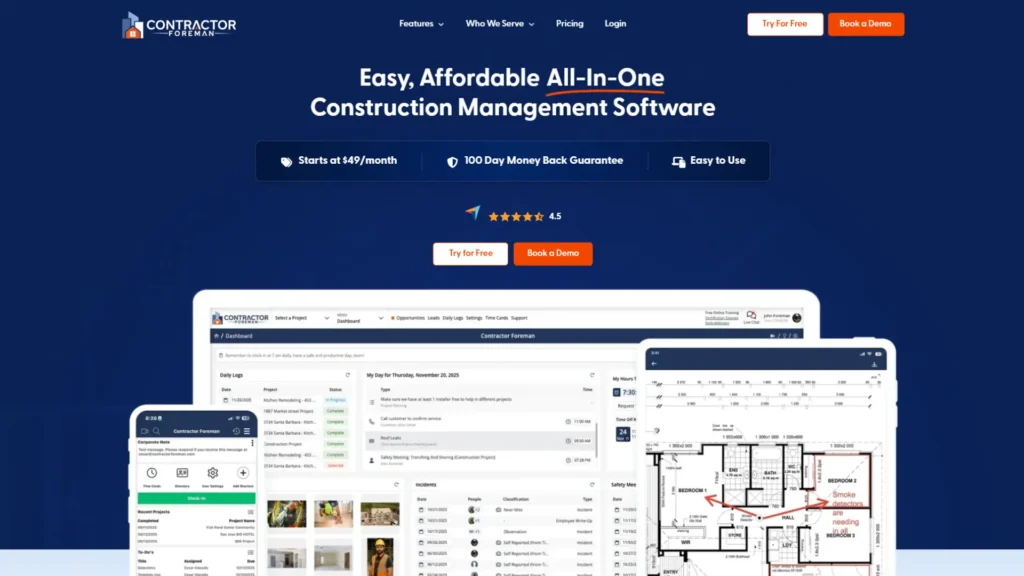
Contractor Foreman packs 50+ features into transparent, published tiers, including estimating, scheduling and Gantt charts, daily logs, GPS time tracking, invoicing, RFIs, submittals, safety management, and document management. Most plans are priced per company rather than per user, QuickBooks integrates on the higher tiers (QuickBooks Online on Plus and above, QuickBooks Desktop on Pro and above), and annual plans carry a 100-day money-back guarantee. On annual billing, the ladder runs Basic at $49/month (1 user), Standard at $105/month (3 users), Plus at $166/month (8 users), Pro at $221/month (15 users), and Unlimited at $332/month (unlimited users). It is consistently rated well and is one of the most feature-dense options at its price.
Who should consider it. Small and mid-size general and trade contractors who want broad functionality at a low, published price and do not want a quote based on their revenue.
Where it falls short. Reporting is basic, customization can be clunky, and overall depth and polish trail the premium platforms. There is no permanent free tier (though a free trial is available), some tools such as the local material-pricing database are limited to higher plans, and larger or more complex operations may outgrow it.
7. Oracle Aconex: document control and the common data environment
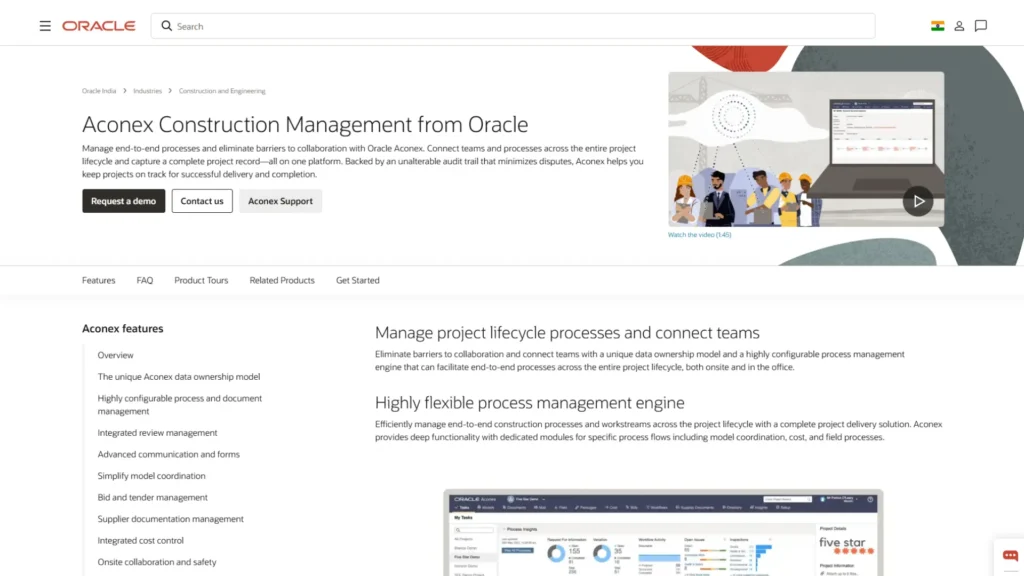
Oracle Aconex is a project-controls and collaboration platform built around a secure CDE. It provides document management with full version and approval tracking, model coordination that works alongside existing authoring tools, and field processes such as inspections, quality checks, punch lists, and daily reports. Its data-ownership model, where each organization controls its own data and what it shares, makes it a trusted neutral platform on contentious, multi-party jobs.
Who should consider it. Owners, program managers, and contractors on large, multi-organization, design-build or infrastructure projects where auditable document control and a neutral common data environment (CDE) are essential.
Where it falls short. Aconex is document- and process-centric rather than field-first or built for cost accounting, and some reviewers note gaps in accounting integration and compliance management. It is enterprise software with matching complexity and cost, so it is usually more than small or single-party projects need.
8. Dalux: BIM coordination and model-based field work
The Dalux BIM Viewer is free and already used in more than 115 countries, with fast IFC/BIM and 2D drawing viewing, measurement tools, and plugins for Revit, Navisworks, Tekla, and ArchiCAD. Dalux Field Basic is a free punch-list and snagging tool with unlimited projects and members, and paid Field tiers add inspections and quality workflows. Its main draw is mobile BIM: field teams can navigate 3D models on a phone without specialist CAD software.
Who should consider it. Coordination-heavy teams and site crews who want to carry the model into the field, and firms that want to start free before committing budget.
Where it falls short. Dalux is a BIM-and-field specialist, not a cost, procurement, or financial-controls platform. Teams new to model-based workflows face a learning curve, and paid-tier pricing is quote-based.
9. Fieldwire by Hilti: field task and plan management
Fieldwire, owned by Hilti, centers on task management pinned to digital plans, punch lists, inspections, markups, and, on higher tiers, RFIs and submittals. The company reports more than four million projects worldwide. Its biggest practical advantage is published pricing: a free Basic plan for small teams (up to 5 users, 3 projects, 100 sheets), then Pro at $39, Business at $64, and Business Plus at $89 per user per month, billed annually. RFIs, submittals, change orders, and budget features sit on Business Plus.
Who should consider it. Field crews, superintendents, and specialty contractors who need plan-based task management, punch lists, and inspections with transparent, predictable pricing.
Where it falls short. Fieldwire is built for field execution, not back-office work, and it has no accounting or invoicing. Per-user pricing also adds up quickly once you bring in subcontractors, consultants, and owners who need occasional access, so model the total cost for your full project community, not just core staff.
10. Bluebeam Revu: PDF markup, review, and takeoff
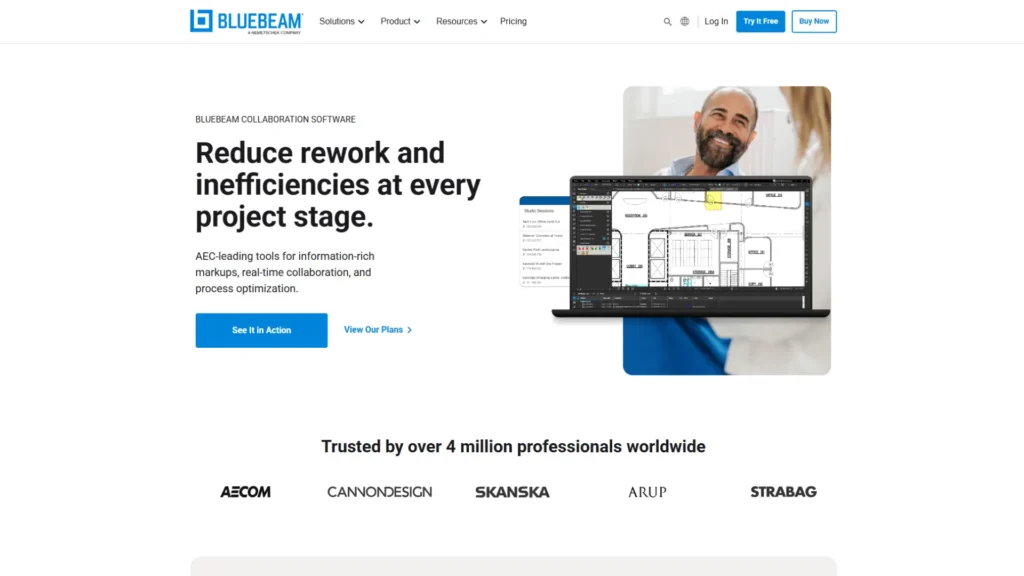
Bluebeam Revu is the AEC-standard tool for information-rich PDF markup, drawing measurement and takeoff, document management, and Studio-based collaboration. Pricing is published per user per year (Basics at $260, Core at $330, and Complete at $440), and teams can mix tiers by role, for example, Core for estimators and Basics for field reviewers.
Who should consider it. Estimators, project engineers, and any team whose core workflow is reviewing, marking up, and measuring PDF drawing sets.
Where it falls short. Bluebeam is not a construction management suite. It does not run RFIs, cost, or scheduling as a platform. Several advanced measurement, overlay, and CAD-integration features are Windows-desktop-only, and seat costs add up when occasional users hold licenses they rarely use.
How To Choose The Right Alternative: A Practical Selection Framework
Work through these questions to move from category to shortlist.
- Platform or specialist? If multiple workflows are broken and you have no single source of truth, shortlist platforms (Procore, ProjectSight, RDash, CMiC, or stay on Forma). If only one workflow is broken, shortlist a specialist (Aconex for documents, Dalux for BIM and field work, Fieldwire for field tasks, Bluebeam for markups).
- What is your core workflow? Model-led and Revit-heavy: Forma or Dalux. Document-control- and CDE-led on multi-party jobs: Aconex. Commercial control led by BOQ, procurement, and billing: RDash. Accounting and ERP in one database: CMiC. Residential with heavy client interaction: Buildertrend. Field execution led by tasks and punch lists: Fieldwire. Broad features on a small budget: Contractor Foreman.
- Who needs access? If subcontractors, consultants, and clients all need access, per-user pricing can dominate your total cost. Compare unlimited-user models (such as RDash) against per-seat models (such as Fieldwire or Bluebeam) using your real headcount, including external collaborators.
- How fast must you be live? If you need days, prioritize lighter tools and strong onboarding support over maximum breadth. If you can invest months, the depth of an enterprise platform or ERP may pay off.
- What must it integrate with? List your must-haves (ERP, accounting, design tools) and confirm each on the vendor’s integration page before you commit. For a structured walk-through of the whole evaluation, RDash’s comprehensive features comparison and its guide to the 15 golden workflows of construction project management are useful starting points.

Migration And Implementation: What Decides Success
The feature list rarely decides whether new software sticks. The rollout does. Plan for the following.
Data migration is a project in itself: Exporting drawings, documents, cost data, and contacts from your old system and importing them cleanly takes time. Audit and de-duplicate your data before you migrate, not after.
Set up templates and structure first: Folder structures, permission levels, approval hierarchies, and cost codes should be in place before you invite the team. Getting this right once prevents months of rework.
Adoption happens on the phone, not the desktop: Field crews use tools that are fast and obvious on a mobile device. Pick platforms with a strong app and run short, role-specific training rather than one long session.
Run a pilot project: Prove the workflow on one live project before rolling out across the portfolio. A pilot shows integration gaps and process mismatches while they are still cheap to fix.
Budget realistic timelines: Lighter field tools can be live in days. Full platforms typically take weeks to months, and a construction ERP can take longer still, depending on data and team size. For more on timelines, see RDash’s guide on how long it takes to deploy construction management software.
Autodesk Forma Vs. The Alternatives: Quick Comparisons
Forma vs RDash. Forma is BIM-led and quote-based, while RDash is commercial-control-led (BOQ, procurement, finance) with an unlimited-user model. Contractors whose projects are governed by bills of quantities and procurement, rather than model coordination, often find RDash maps more directly to how they run a job.
Forma vs. Procore. Both are full platforms. Forma leads on BIM and design-to-construction continuity, while Procore leads on financial breadth and its app marketplace. Both are quote-based. Choose Forma if you are Revit-centric, and Procore if you want the widest office-and-field platform and will use its financial depth.
Forma vs Oracle Aconex. They do different jobs. Forma is a construction platform with a CDE inside it, while Aconex is a neutral, document-control-first CDE used across many organizations on large programs. On contentious, multi-party, design-build work, Aconex’s data-ownership model sets it apart.
Forma vs Fieldwire. Their scope and price transparency differ. Fieldwire is a field-execution specialist with published per-user pricing, while Forma is a full, quote-based platform. Many teams run Fieldwire for the field and a platform for the office.
Forma vs CMiC. Forma is a construction platform, while CMiC is a construction ERP with its own general ledger, payroll, and job costing in one database. If your core gap is unified finance and accounting rather than BIM, CMiC solves a different problem than Forma does.
Conclusion: Match The Tool To The Job, Not The Brand
The key fact for 2026 is that Autodesk Construction Cloud is now Autodesk Forma: the same tools under a broader, design-to-operations cloud. That changes the question. You are not choosing between ACC and everything else. You are choosing the software setup that fits how your team builds.
Be honest about your core workflow. If you are model-led and work in the Autodesk stack, Forma’s continuity is hard to beat. If you want the broadest office-and-field platform, look at Procore, and if you need unified accounting and ERP, look at CMiC. If your projects run on BOQ, procurement, and installed-value billing, a commercial-control platform like RDash will map more directly to your day. Residential builders have Buildertrend, and budget-conscious small trades have Contractor Foreman. And if one specific job is broken, whether document control, BIM coordination, field tasks, or markups, a specialist like Aconex, Dalux, Fieldwire, or Bluebeam will often fix it faster and cheaper than switching platforms.
No single product is best for everyone. The right choice is the one that scores highest on the three or four criteria that matter most to your projects, your team, and your budget. Shortlist two or three, run a pilot, and let a real project decide.
To work through your own evaluation, explore RDash’s guides on choosing construction software for growing contractors and how AI is used in construction management software, or compare platforms side by side on the RDash comparison hub.
Frequently Asked Questions
Is Autodesk Construction Cloud discontinued?
No. Autodesk Construction Cloud became part of Autodesk Forma on 24 March 2026. The products (Build, Takeoff, Estimate, Docs) continue under new Forma names with the same functionality, and existing customers do not need to migrate data.
What are the new names for Autodesk Construction Cloud products?
Autodesk Build is now Forma Build, Autodesk Takeoff is Forma Takeoff, Autodesk Estimate is Forma Estimate, Autodesk Docs is Forma Data Management, and Autodesk BIM Collaborate Pro is Forma Design Collaboration. The capabilities are unchanged.
What is the best Autodesk Construction Cloud alternative for a general contractor?
There is no single best option. For broad enterprise project and financial management, Procore is a leading choice. For mid-market project controls, look at Trimble ProjectSight. For unified accounting and ERP, consider CMiC. For contractors and fit-out firms that want BOQ, procurement, and cost control with unlimited users, consider RDash. Residential builders should look at Buildertrend, and budget-conscious small trades at Contractor Foreman. Match the tool to your core workflow.
What is the cheapest alternative to Autodesk Construction Cloud?
Among tools with published pricing, Dalux offers a free BIM Viewer and a free Field Basic tier, and Fieldwire offers a free Basic plan. For a full platform with published pricing, Contractor Foreman starts at $49 per month, and Bluebeam Revu starts at $260 per user per year. Enterprise platforms like Procore, Forma, and CMiC are quote-based, so cost depends on your deal.
Do I need a full platform or a specialist tool?
Choose a full platform if several workflows are disconnected and you lack a single source of truth. Choose a specialist tool if one workflow, such as document control, BIM coordination, field tasks, or markups, is your only real gap. Many contractors run one platform plus one or two specialists.
How much does Fieldwire cost?
Fieldwire publishes per-user pricing: a free Basic plan for small teams, then Pro at $39, Business at $64, and Business Plus at $89 per user per month, billed annually. RFIs, submittals, change orders, and budget features are on Business Plus.
How much does Contractor Foreman cost?
On annual billing, Contractor Foreman runs from Basic at $49/month (1 user) to Unlimited at $332/month (unlimited users), with Standard, Plus, and Pro tiers in between. Most plans are priced per company rather than per user. There is a free trial but no permanent free tier.
Is Bluebeam a construction management platform?
No. Bluebeam Revu is a PDF markup, drawing review, and takeoff tool, the AEC standard for marking up and measuring drawing sets. It is not a full construction management platform, and it works alongside a platform rather than replacing one.
Which alternative is best for BIM coordination?
For model coordination and model-based field work, Dalux (free viewer, strong mobile BIM) and Oracle Aconex (a CDE with design-neutral model coordination) are good options. Autodesk Forma itself remains the most tightly integrated choice if you already work in the Revit/Autodesk ecosystem.