

Key Takeaways
- A BOQ itemises materials, labour, plant, quantities, unit rates, and totals it’s a cost-control and contract document, not a materials list (that’s a BOM).
- Item descriptions carry the most risk. Vague wording is the leading cause of change-order disputes; write against a standard like RICS NRM2.
- How you share the BOQ matters as much as how you build it. Email gives you no audit trail; you need version control and recorded, line-item approvals.
- Change orders should be valued against pre-agreed rates and documented against the original line, or they erode margin quietly.
- RDash centralises BOQ creation, client sharing, item-level approval, and change tracking on one platform, replacing the email-and-spreadsheet workflow behind most disputes.
How to Create and Share a BOQ With Clients on a Construction Project
Most scope disputes I’ve sat through trace back to the same root cause: a client who genuinely doesn’t believe they approved something, and a contractor who can’t prove they did. The Bill of Quantities is the document that’s supposed to settle that argument before it starts. When it’s built carefully and shared properly, every conversation about cost, scope, and payment has one reference point both sides trust. When it isn’t, you spend the second half of the job litigating the first half.
A lot of teams still treat the BOQ as a spreadsheet they email once and never open again. That habit quietly costs them money. A BOQ isn’t a file; it’s a working agreement, and the way you create it and the way you hand it over decide whether it protects your margin or leaves it exposed.
This guide covers the whole arc: what a BOQ actually is, how to build one that holds up, and the exact way to share it so approvals are documented and changes can’t slip through unrecorded.
What Is a BOQ in Construction?
Quick answer: A Bill of Quantities (BOQ) is a detailed, itemised document listing every material, labour task, and item of plant a construction project needs, each with a description, quantity, unit of measurement, and unit rate that produces a line total. The Royal Institution of Chartered Surveyors (RICS) defines it as a list of items giving detailed descriptions and firm quantities of the work in a contract. It gives the client, contractor, and subcontractors one priced scope to work from.
Strip away the jargon, and a BOQ does three jobs at once:
- It fixes the scope. Everyone prices and builds from the same line items, so no one can later argue that trenching, waterproofing, or a particular finish “wasn’t in there.”
- It controls the cost. Because every item is measured and rated before work starts, you can track actual spend against the allowance and catch a slide early, while you can still do something about it.
- It runs the billing. Progress claims and variations are valued against the same lines the client already signed off on.
Quantity surveyors have a useful way of describing it: a BOQ is a shopping list with a contract stapled to it. It tells you the type, amount, and price of everything the job needs, and it becomes the document both parties return to every time money comes up.
BOQ vs BOM: The Difference That Quietly Costs You Money
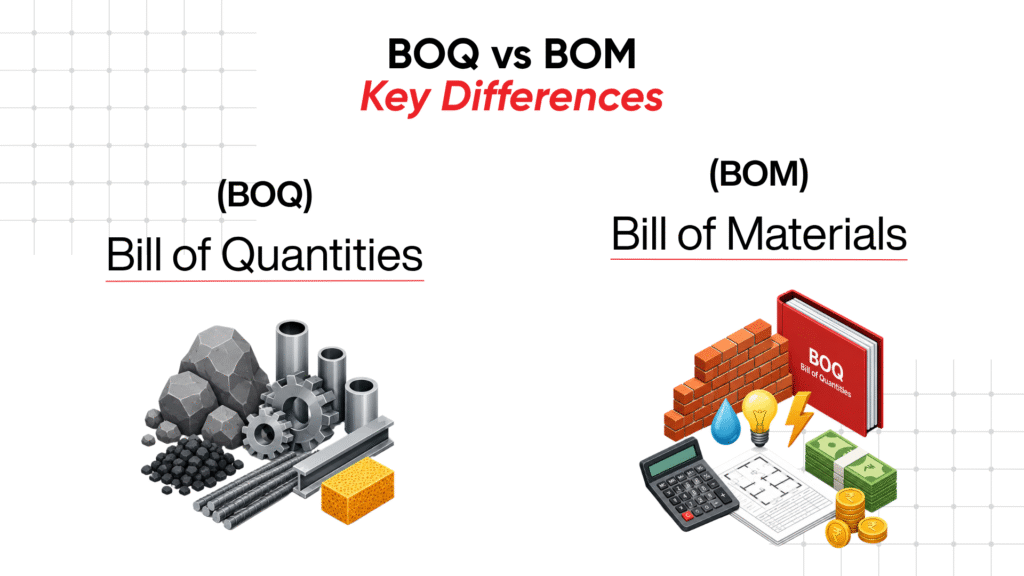
Quick answer: A Bill of Quantities (BOQ) covers materials plus labour, plant, quantities, unit rates, and totals everything needed to price and build the full scope. A Bill of Materials (BOM) lists only the physical components to be purchased. The BOQ is a cost-control and contract document; the BOM is a procurement list.
The two terms get swapped around constantly, and that loose habit creates real exposure. Hand a client a BOM and call it a BOQ, and you’ve given them a materials list with no labour, no installation activities, and no trade breakdown to approve against. The gap surfaces at the worst possible moment when the invoice lands and “what I bought” no longer matches “what I did.”
Aspect | Bill of Quantities (BOQ) | Bill of Materials (BOM) |
Covers | Materials, labour, plant, quantities, rates, totals | Physical components only |
Purpose | Cost control, tendering, and client billing | Procurement and inventory |
Audience | Client, QS, contractor, subcontractor | Purchasing and supply chain |
Includes labour? | Yes | No |
Used to value change orders? | Yes | No |
There’s a clean way to remember it: a BOM tells you what to buy; a BOQ tells you what to buy, what to do, how long it takes, and what it costs. At RDash, this separation is built into the workflow. The BOQ stays the master scope document the client sees, and you can break individual BOQ elements into a Bill of Materials only when it’s time to release vendor orders, so the two never get muddled in front of the client.
What Goes Into a BOQ? The Components That Matter
Quick answer: A standard BOQ line carries five things: item number, a clear description, a unit of measurement, a quantity, and a unit rate that produces a line total. Most BOQs also include preliminaries (the indirect cost of running the project) and may carry provisional sums for work that isn’t fully designed yet.
Here’s what each part is doing, and where the risk hides:
Item description: This is the single most dangerous field in the document. RICS guidance is direct about it: descriptions must be complete enough that anyone pricing the work can identify the full extent of it. “Timber framing” is an open invitation to a dispute. “Timber framing, external walls, ground floor, 2×6 studs at 16″ centres, including plates and blocking” is a description that prevents one. The few extra words per line are the cheapest insurance on the job.
Quantity: The measured amount in number, length, area, volume, weight, or time.
Unit of measurement: What’s attached to the quantity: m, m², m³, kg, hrs, days, or a lump sum.
Unit rate: Cost per unit, from historical data or current market pricing. One quiet killer here is mixing rate bases in the same bill; some lines are priced supply-only, others supply-and-fix. Keep it consistent, or your line totals stop meaning the same thing.
Line and section totals: Quantity × rate, rolled up by trade or element.
Two cost categories that inexperienced estimators leave out and then have to explain later: preliminaries (site management, accommodation, insurances, client reporting) and provisional sums (a held allowance for work not yet defined, distinct from a prime cost sum, which holds money for goods from a supplier you haven’t picked yet). Omit these and you’ve under-quoted before the job even starts.
Firm vs Approximate BOQ: Which One Should You Send the Client?
Quick answer: A firm BOQ is measured precisely from complete drawings and used when the client wants a reliable lump-sum price. An approximate BOQ is based on incomplete design, with quantities re-measured during the works useful early on, but it gives less price certainty and tends to trigger more variations.
RICS NRM2 formally recognises both, and the choice changes how you frame the conversation:
- Send a firm BOQ when you’re working from “For Construction” drawings and the client needs budget certainty. Once it’s priced, those agreed rates become your yardstick for valuing every later change.
- Send an approximate BOQ when you’re pricing early-stage design but say so, in writing. Tell the client upfront that quantities will be re-measured and the final number will move. Setting that expectation on day one heads off the “but you quoted X” conversation on day ninety.
How to Create a BOQ for a Construction Project (6 Steps)
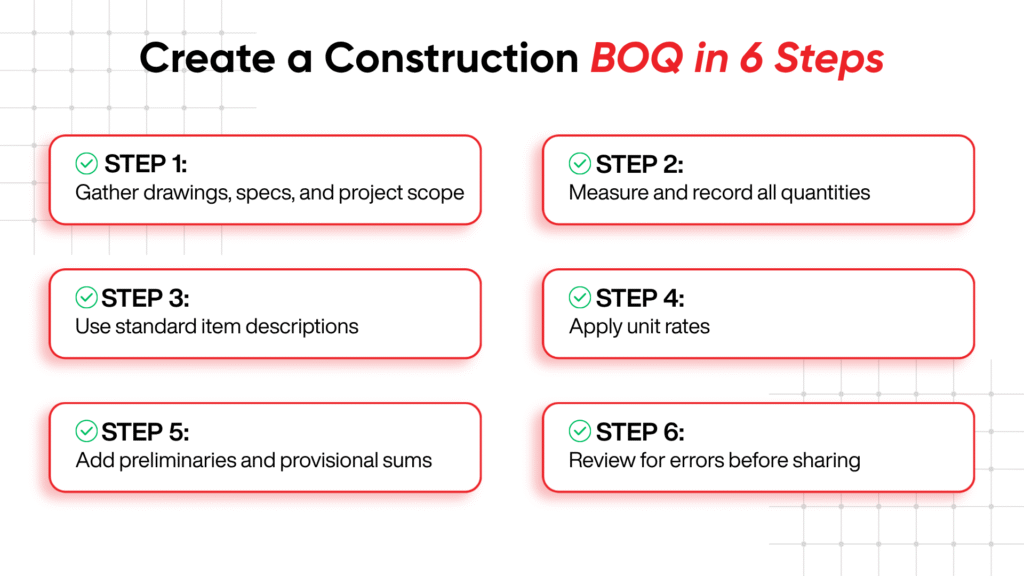
Quick answer: To create a BOQ, (1) gather complete drawings and specifications, (2) take off quantities by measuring each work item, (3) write clear descriptions against a standard method of measurement, (4) apply unit rates, (5) add preliminaries and any provisional sums, then (6) review for double-counting and arithmetic errors before sharing.
Step 1: Gather the drawings, specs, and scope
You can’t measure what hasn’t been decided. Pull the latest drawings, the specification, and any design choices that move quantities. If finishes or MEP details are still open, decide now whether this is a firm or an approximate BOQ, as a single decision shapes everything downstream.
Step 2: Take off the quantities
“Taking off” is the surveyor’s term for reading the drawings and measuring every item’s lengths, areas, volumes, and counts. Accuracy is won or lost here. The three usual culprits are mis-measurement, arithmetic slips, and counting the same item twice across two trades.
Step 3: Write descriptions against a recognised standard
Use a standard method of measurement so everyone reads the BOQ the same way. In the UK and many markets, that’s the RICS New Rules of Measurement (NRM2) for building works; for civil engineering, it’s CESMM. A standard keeps your descriptions consistent and defensible if a dispute ever reaches that point.
Step 4: Apply unit rates
Attach a rate to each line from historical project data or live market pricing, and keep the basis uniform across the document so the client can compare like with like.
Step 5: Add preliminaries and provisional sums
Capture the indirect cost of running the site, and hold realistic allowances for work that isn’t fully designed. This is where margins leak when people rush.
Step 6: Review before it leaves your hands
Scan for double-counted items, arithmetic errors, and vague descriptions. Five minutes here is the difference between a BOQ that defends you and one that’s used against you.
Doing this in RDash
A spreadsheet starts to strain around step three, when descriptions drift, and versions multiply. RDash keeps the project scope and the BOQ at the centre of the project and ties everything else to it. In practice, that means you can:
- Import the scope from Excel or build it from Element Libraries, a master catalogue that stores specs, drawings, and make-types at the element level, so descriptions stay complete and consistent instead of being retyped (and mistyped) each time.
- Create BOQs from that master catalogue, which cuts the description gaps that cause most change-order arguments.
- Set budget guardrails on BOQ elements and flag items for margin bleed, giving you item-level profit-and-loss visibility before a single rate goes to the client.
How to Share a BOQ With Clients (Step by Step)
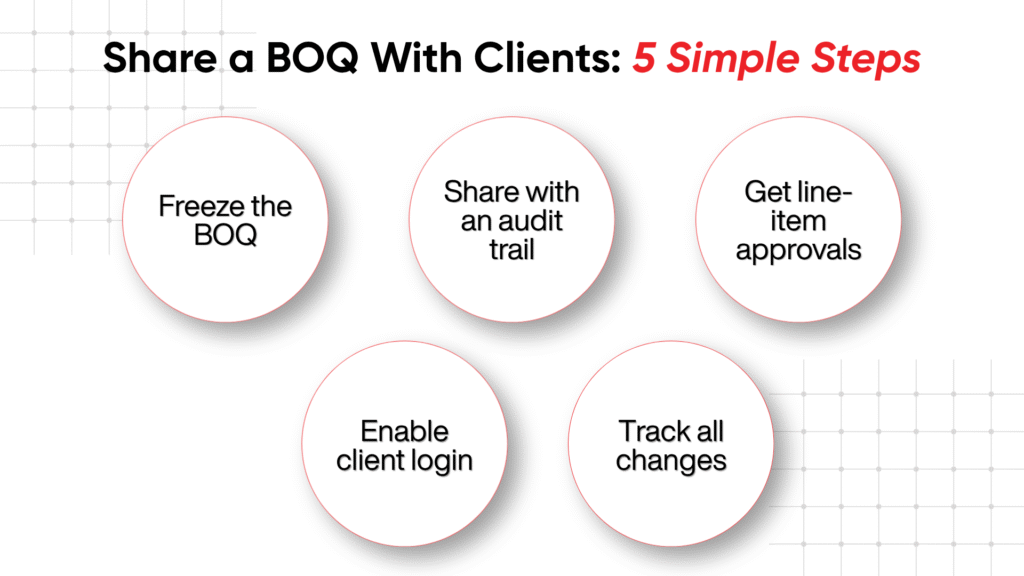
Quick answer: To share a BOQ with a client, (1) lock the version you want approved, (2) send it through a system that records who saw what and when, (3) ask for confirmation at the line-item level, (4) capture that approval in writing, and (5) keep a change history so every later revision is traceable. Email alone leaves you with no reliable audit trail.
Here’s the part most guides skip. The disputes I’ve watched rarely come from the BOQ itself they come from how it was shared. An emailed spreadsheet has no version control, no record of approval, and no way to prove which copy the client actually agreed to. By the time there’s a disagreement, you’re digging through six months of inbox looking for the right attachment, and the file is named something like BOQ_final_v3_REVISED_clientcopy.xlsx. That’s not a process. That’s a liability waiting for a trigger.
This is the sequence that actually holds up:
Step 1: Lock the version
Pick the version going for approval and freeze it. Every edit after that should spawn a new, traceable version rather than overwrite the original.
Step 2: Share through a system with an audit trail
Send the BOQ somewhere where access is logged, and the client can review without you handing over control of the master copy. This single move is the biggest upgrade over email.
Step 3: Get line-item confirmation, not a blanket “looks good”
A signature at the foot of a 200-line bill is weak protection. Confirmation at the individual scope-item level is what kills the “I never approved that” claim. In RDash, you can track client confirmation on each scope item, so approval is granular and recorded against the line it belongs to.
Step 4: Give the client their own login
Stop chasing approvals across email and WhatsApp. Create a client login so they can review progress and approve directly inside the platform. RDash’s Third Party Collaborators feature lets you share project access with clients and with PMCs or consultants on limited, controlled permissions, so they see what they need and nothing they shouldn’t.
Step 5: Keep the change history
Once shared, the BOQ becomes the reference for billing and variations. RDash tracks the change history of every BOQ item, so when a rate or quantity moves, you can show exactly what changed, when, and who approved it. The principle quantity surveyors live by applies here: the document that got priced is the document that gets paid against.
Change Orders: Where a Good BOQ Pays for Itself
Quick answer: When scope changes, only the affected BOQ line items are re-measured and re-priced against the rates already agreed. That keeps variation negotiations transparent, and both sides work from pre-agreed quantities and rates instead of reopening the full price.
This is the moment a well-built BOQ earns back the hours you put into it. Because the original document set rates that everyone accepted, a change becomes a tight conversation about a handful of lines, not a full renegotiation.
The weak link, every time, is documentation. Agree on a change verbally and never record it against the BOQ, and you’ve recreated the exact problem the BOQ existed to prevent. The cost of that gap is not theoretical: a McKinsey analysis of large investment projects found average cost overruns of around 80%, driven by change orders, with every party to the project contributing to them. In RDash, you can track scope changes through approval workflows and automate the scope-change documentation with clients, so each variation is captured, approved, and tied back to its original line. Client POs and invoices run against the same scope, which keeps billing locked to what was actually approved.
Expert Take: Treat the BOQ as a Communication Contract
After enough projects, you stop thinking of the BOQ as a cost sheet and start treating it as a communication contract between the client, the consultant, and you. The arithmetic matters. The shared understanding matters more because that’s what actually prevents disputes.
That reframe changes the question you ask of your own work. Instead of “is my spreadsheet accurate?” you start asking “can my client see this, understand it, and approve it and can I prove they did?” The first question is about maths. The second is about your margin and your relationship, and it’s the one most teams never build a system around.
There’s research behind the instinct. The Project Management Institute has found that poor communication is a primary factor in roughly one in three failed projects. A BOQ, shared well, is one of the few documents that hits that problem directly, but only if it’s treated as a live, two-way record rather than a file you send once and forget.
The Numbers: Why BOQ Discipline Is Worth the Effort
The data on construction cost control is grim, and it makes the strongest case for taking your BOQ process seriously:
- McKinsey Global Institute’s Reinventing Construction study, spanning 20 countries and 70 years, found 85% of projects came in over budget, with an average overrun of 28%. (McKinsey, 2017)
- A separate McKinsey analysis of large investment projects pinned average cost overruns near 80%, driven by change orders, with all parties contributing to them. (Procore / McKinsey)
- For the largest jobs, McKinsey estimates 98% of megaprojects run over by more than 30%, and 77% finish at least 40% late. (McKinsey, 2015)
- A 2022 McKinsey review of 500+ large projects found cost overruns averaging at least 79% against initial estimates. (McKinsey, 2023)
A precise, well-shared BOQ won’t fix every cause on that list. But it lands squarely on the two biggest: unclear scope and undocumented change. Those are precisely what a disciplined BOQ workflow is built to remove.
A Real-World Example: A Commercial Interiors Fit-Out
Picture a fit-out contractor running a 12,000 sq ft corporate office.
The old way. The BOQ goes out as an Excel attachment. The client replies, “Looks good.” Halfway through, they ask for upgraded boardroom flooring and a reworked pantry layout. The site team gets on with it. At final billing, the client disputes the extra, “we never agreed that rate” and nobody can surface the email thread that proves otherwise. The contractor swallows part of the difference to keep the account.
The RDash way. Same BOQ, but built from the Element Library and shared with the client’s own login. The client confirms the scope line by line, so each item carries a recorded approval. When the flooring upgrade comes up, it’s logged as a scope change through an approval workflow, documented automatically, and tied to the original BOQ line. The change history shows the rate, the date, and the sign-off. At final billing, there’s nothing to argue about, because the document that got approved is the document being billed against.
Same project, same client. The only variable is how the BOQ was created and shared, and that variable is the one that decides whether the contractor kept its margin.
Why Teams Use RDash for BOQ Creation and Client Sharing
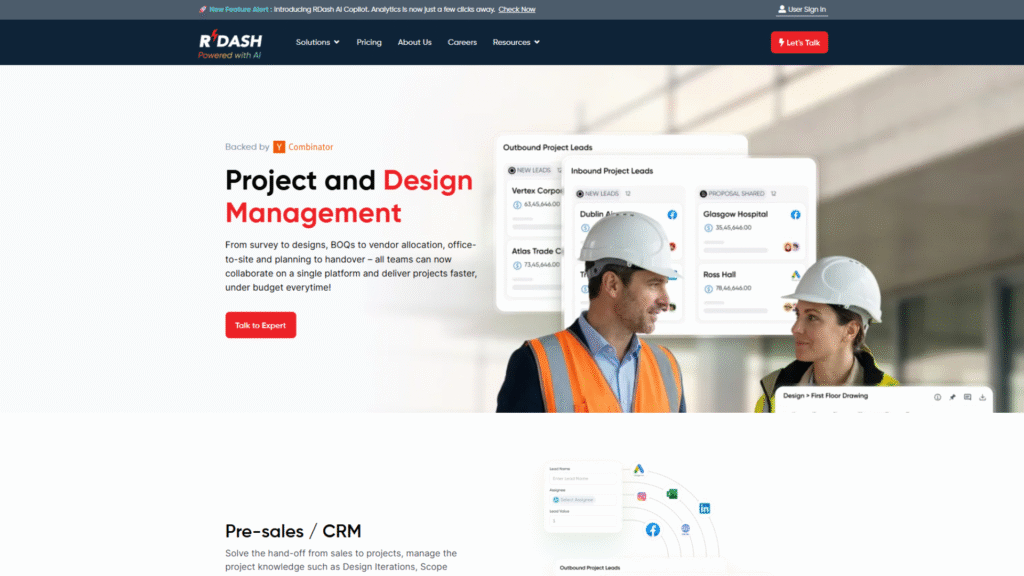
RDash is an AI-powered construction management platform that keeps the BOQ at the centre of the project and links it to scope, procurement, progress, and billing. For BOQ work specifically, it gives you:
- Import scope from Excel or build from Element Libraries for complete, consistent line descriptions.
- Create BOQs from a master catalogue with specs and drawings attached at the element level.
- Track client confirmation on individual scope items, granular, and recorded approvals.
- Client logins so clients can review progress and approve directly, via Third Party Collaborators.
- Scope-change approval workflows with automated change documentation to clients.
- A full change history on every BOQ item for a defensible audit trail.
- Item-level P&L control through margin-bleed flags and budget guardrails on BOQ elements.
- Installed-progress tracking linked to the BOQ, keeping invoicing and cash flow aligned with work actually done.
- Custom client proposal templates and custom tabs for a more complex scope.
It runs on web and on mobile (iOS and Android), uses an unlimited-user model so every stakeholder can collaborate without per-seat friction, and is backed by Y Combinator.
Pricing (India):
Plan | Best for | Price |
RDash Lite | Up to ₹20 Cr annual project volume | ₹24,000 per user/year (annual advance) |
RDash Pro | Up to ₹100 Cr annual project volume | ₹48,000 per user/year (annual advance) |
RDash Enterprise | ₹100 Cr+ annual project volume | Custom quotation |
Conclusion: Build It Right, Share It Right, Keep Your Margin
The BOQ is the financial backbone of a construction project, but its real value isn’t in the spreadsheet; it’s in the shared, provable understanding it creates between you and your client. Building it accurately protects your numbers. Sharing it properly protects your margin and the relationship that brings the next job.
The contractors who rarely end up in scope fights aren’t the ones with the tidiest spreadsheets. They’re the ones who treat the BOQ as a live, two-way record: built from a consistent catalogue, shared with line-item approvals, and tracked through every change. That’s the gap between a document you scramble to defend after the fact and one that quietly defends you in real time.
If your process still runs on emailed Excel files and verbal sign-offs, that’s the gap worth closing first. Keeping the BOQ at the centre with client logins, item-level confirmation, and a complete change history is exactly what RDash was built to do.
See it on your own project. Book a free RDash demo and watch how a BOQ goes from creation to client approval to change tracking on a single platform.

Frequently Asked Questions
How do I create and share a BOQ with clients on a construction project?
Create it by gathering complete drawings, taking off quantities, writing clear descriptions against a standard like RICS NRM2, applying unit rates, and adding preliminaries. Share it through a system that records versions and approvals, ask the client to confirm scope at the line-item level, and keep a change history. In RDash, you can build the BOQ from a master catalogue, give the client a login, and track their confirmation on each item.
What is the difference between a BOQ and a BOM?
A BOQ covers materials, labour, plant, quantities, unit rates, and totals, and is used for cost control, tendering, and client billing. A BOM lists only physical components for purchasing. The BOQ answers “what to buy, what to do, how long, and what it costs”; the BOM answers only “what to buy.”
Who prepares a Bill of Quantities?
Traditionally, a quantity surveyor or cost consultant works from the architect’s and engineer’s drawings and specifications. On smaller projects and fit-outs, the contractor or estimator often prepares it directly. Software like RDash lets contractors build accurate BOQs from a standardised element library without retyping every line.
What is the best way to share a BOQ with a client?
Through a platform with version control and recorded approvals, not a one-off email attachment. The aim is a documented, line-item approval and a change history you can rely on later, which is exactly what a client login inside a construction management tool provides.
What should a BOQ include?
At minimum: item number, clear description, unit of measurement, quantity, unit rate, and line total. Most BOQs also include preliminaries (the indirect cost of running the project) and provisional sums for work that isn’t fully defined yet.
What is the difference between a firm and an approximate BOQ?
A firm BOQ is measured precisely from complete drawings and used for a reliable lump-sum price. An approximate BOQ is based on incomplete design, with quantities re-measured later, useful early, but more likely to trigger variations.
How does a BOQ help control change orders?
Because rates and quantities are agreed upfront, a change only requires re-measuring and re-pricing the affected lines against those agreed rates. That keeps variation negotiations focused and transparent instead of reopening the full price.
Can I create a BOQ in Excel?
Yes, and many teams do. The limitation isn’t the calculation, it’s version control and approval tracking. Excel files have no audit trail, so when a dispute arises, you can’t easily prove which version the client approved. Tools like RDash let you import an Excel scope and then manage approvals and changes with a full history.
What standard should I follow when preparing a BOQ?
In the UK and many other markets, the RICS New Rules of Measurement (NRM2) for building works is the recognised standard, with CESMM used for civil engineering. Following a standard ensures everyone interprets the BOQ the same way and keeps your descriptions consistent and defensible.
How do I get a client to approve a BOQ properly?
Ask for confirmation at the individual scope-item level rather than a single signature on the whole document, and capture it in a system that records who approved what and when. In RDash, clients confirm scope item by item through their own login, creating a granular, recorded approval trail.
Does RDash support BOQ creation and client sharing?
Yes. RDash keeps the BOQ at the centre of the project, lets you import scope from Excel or build it from Element Libraries, track client confirmation on each item, create client logins for review and approval, document scope changes with approval workflows, and track the change history of every BOQ item.
How much does BOQ and project management software like RDash cost?
RDash offers three India plans: Lite at ₹24,000 per user/year (up to ₹20 Cr annual project volume), Pro at ₹48,000 per user/year (up to ₹100 Cr), and Enterprise on a custom quotation (₹100 Cr+). Implementation and onboarding are priced separately. Check the RDash pricing page for current figures.