

Key Takeaways
- The best estimating software for general contractors depends on where you lose margin: RDash for post-award cost control, STACK or Togal.AI for takeoff.
- Already on Procore, Autodesk Forma, or Sage? Start with that vendor’s estimating module, because the estimate flows into budgets without a new integration.
- Small builders and remodelers get the most for their money from Buildxact, Contractor Foreman or Clear Estimates; check each plan’s user limit.
- US nonresidential input prices rose 7.1% in the year to June 2026, about double contractors’ 3.5% bid-price rise, so outdated rates erode margin.
- Where vendors publish prices, plans run from free to $349 per user per month; Procore, Sage and ProEst quote privately.
- AI takeoff saves hours, but Duane Morris attorneys expect contractors to be held responsible for AI quantity errors, like any estimator’s mistake.
- Before buying, trace one line item from drawing to purchase order; three or more retypes means handoffs, not takeoff, are your problem.
The best estimating software for a general contractor is the one that keeps your bid intact after you win it. Takeoff speed matters, but margin is rarely lost because a measurement took an extra hour. It leaks in the handoffs between the bid, the purchase orders, and the cost report.
This guide compares 10 tools on both halves of that job: how quickly each one gets you to a priced bid, and how far that bid travels into purchasing and cost control after award.
Quick Comparison: The 10 Best Estimating Tools for General Contractors
Only RDash and Procore Estimating carry an estimate natively into purchasing and cost control at commercial scale; Contractor Foreman and Buildxact do it for smaller jobs. Everything else on this list hands off to another system after the bid.
Tool | Best for | Takeoff from drawings | Carries the estimate past award | Deployment | Published starting price (checked 9 Oct 2026) |
GCs, design-build and fit-out firms that run the job off the BOQ | No; BOQ built from an element library or imported from Excel | Yes, natively: POs, GRNs, item-level P&L | Cloud, Android and iOS apps | Pro: $1,000 per user per year, up to USD 25M annual project volume; implementation extra | |
STACK | Cloud takeoff and estimating from PDFs | Yes, including AI takeoffs | Through ERP connectors (Pro add-on) | Cloud | Free plan; Premium $299 and Pro $349 per user per month, billed annually |
Togal.AI | High-volume AI takeoff on architectural drawings | Yes, AI-led | Not a focus | Cloud | Growth $299 per user per month, billed yearly; teams of 4+ quoted |
PlanSwift | Estimators who prefer installed desktop software | Yes, with AI tools | Not a focus | Installed desktop | Essential $2,000 or Core $3,000 per seat per year |
Autodesk ProEst | Mid-size and large GCs in the Autodesk ecosystem | Yes (2D) | Through Autodesk Forma Build | Cloud | Not published |
Procore Estimating | GCs already standardized on Procore | Yes (2D and 3D) | Yes, inside Procore | Cloud | Not published; quoted per customer |
Sage Estimating | Commercial GCs on Sage accounting | Yes (eTakeoff Dimension) | Through Sage accounting and job costing | Cloud-connected; confirm hosting with Sage | Not published |
Buildxact | Residential builders and remodelers | Yes | Partly: POs on all paid plans, job management from Pro | Cloud; mobile app from Pro | Free Go plan; Foundation $169 per month, billed annually |
Contractor Foreman | Budget all-in-one for small crews | Yes, with built-in AI | Yes for small jobs: POs, bills, job costing reports | Cloud, phone and tablet | $49 per month for 1 user, billed annually |
Clear Estimates | Remodelers pricing repeatable residential scopes | AI image and plan uploads (Pro) | Not a focus | Cloud | Standard $59 per month, billed annually |
Prices are list prices in US dollars before tax. Vendors change them often, so confirm before you sign.

How We Chose and Ranked These 10 Tools
We ranked each tool on how far it carries a number from the drawing or BOQ to the job’s final cost report, using only what each vendor publishes on its own website as of October 2026.
We scored every tool on five things:
- Coverage of the estimate chain: Does it quantify, price, compete, commit, and control, or only some of those?
- Evidence: Every feature and price below comes from the vendor’s own product or pricing page. Where a vendor does not publish a price, we say so instead of repeating third-party guesses.
- Fit by how work arrives: Measuring from drawings on hard-bid work is a different job from pricing a client-issued bill of quantities.
- Cost at real team sizes, not just the headline “from” price.
- Honest limits: Each review ends with what the tool is not built for.
Why there are no star ratings: Review counts across these products range from a few dozen to several thousand, and some directory listings blend a whole platform into one score. A 4.5 for one tool and a 4.5 for another rarely measure the same thing, so we left them out.
Why the Best Estimate Is the One That Survives the Job
Construction margins are thin enough that an accurate estimate still loses money if its quantities and rates get retyped, repriced, or dropped between the bid and the purchase order.
The numbers leave little slack. In Aswath Damodaran’s January 2026 dataset, 48 US-listed engineering and construction companies averaged a net margin of 5.94%, and those are the large, listed firms.
KPMG’s 2023 Global Construction Survey describes contractors working on “paper-thin margins that leave little room for error.” In the same survey of 267 owners and contractors, 37% said a capital project had missed budget or schedule by 20% or more in the previous year because of weak risk management, up from 32% in 2021.
The damage usually happens in the gaps between systems. Autodesk and FMI surveyed more than 3,900 construction professionals and estimated that bad data (inaccurate, incomplete, inconsistent, or late) cost the global industry $1.85 trillion in 2020, including $88.69 billion of rework.
What a small miss does to a thin margin
Take a $5 million job at that 5.94% net margin: about $297,000 of profit. Assume materials make up 40% of the contract, or $2 million. The Associated General Contractors of America found that nonresidential construction input prices rose 7.1% from June 2025 to June 2026, while contractors’ bid prices rose only 3.5%. If your material rates are a year old and you cannot pass the rise on, that 7.1% costs $142,000, nearly half the job’s profit.
Price movement is only one cause; our breakdown of why construction projects go over budget covers the others.
The five links of the estimate chain
Every bid travels through five links. Most estimating software is built for the first three. Profit is protected or lost in the last two.
- Quantify: Measure from drawings (takeoff) or receive and check a bill of quantities.
- Price: Apply material, labor, and equipment rates, then overhead and markup.
- Compete: Collect and level subcontractor quotes, then issue the proposal.
- Commit: After award, turn line items into purchase orders and subcontracts.
- Control: Track committed, actual, and installed cost against the estimate, plus change orders and billing, through job costing.
Run the single line item test before you buy anything
Pick one line from a job you won last year, such as 2,400 sq ft of gypsum partition or 180 m of cable tray. Trace it from drawing to takeoff, priced estimate, subcontractor quote, purchase order, supplier invoice, and cost report. Count every time someone retyped its quantity or rate.
Our rule of thumb: three or more retypes means your problem is handoffs, not takeoff speed. A faster takeoff tool will not fix it. Run the same line through every tool you demo.
Which links each tool covers
Tool | Quantify | Price | Compete | Commit | Control |
RDash | BOQ from element library or Excel; no drawing takeoff yet | Element library, supplier rate contracts, material breakdown for rate analysis | Quotations, item-level client approval, RFQ flow via custom tabs | Native: POs placed against BOQ items | Native: item-level P&L, installed progress, change orders |
STACK | Native, with AI takeoffs | Items, assemblies, regional BNI cost library (Pro) | Native proposals | ERP connector add-on | ERP connector add-on |
Togal.AI | Native, AI-led | Not a focus | Not a focus | Not a focus | Not a focus |
PlanSwift | Native, with AI tools | Assemblies, labor and material calculations | Limited | Not a focus | Not a focus |
Autodesk ProEst | Native 2D | ProEst Costbook, 23,000+ regional cost lines | Bid-day analysis | Via Forma Build budgets | Via Forma Build |
Procore Estimating | Native 2D and 3D, AI area detection | Cost catalog, historical cost data | Proposals and bids | Native inside Procore | Native inside Procore |
Sage Estimating | eTakeoff Dimension | Trade databases, RSMeans | BidMatrix bid analysis | Via Sage accounting | Via Sage job costing |
Buildxact | Native | Dealer pricing integration | Quote letters, RFQs, e-signatures | Purchase orders | Cost tracking, invoicing |
Contractor Foreman | Native, with built-in AI | Cost database; local pricing on some plans | Bid management | Purchase orders, subcontracts | Job costing reports |
Clear Estimates | AI plan uploads (Pro) | 13,000+ line items, updated quarterly | Proposals with e-signature | Not a focus | Not a focus |
Based on each vendor’s published product pages on 9 October 2026. “Not a focus” means the vendor does not market the capability, not that no workaround exists.
The 10 Estimating Tools Reviewed and Ranked
Here are the ten tools in ranked order for general contractors, with what each does well, what it costs, and where it falls short.
1. RDash: Best for GCs Who Need the Estimate to Run the Job
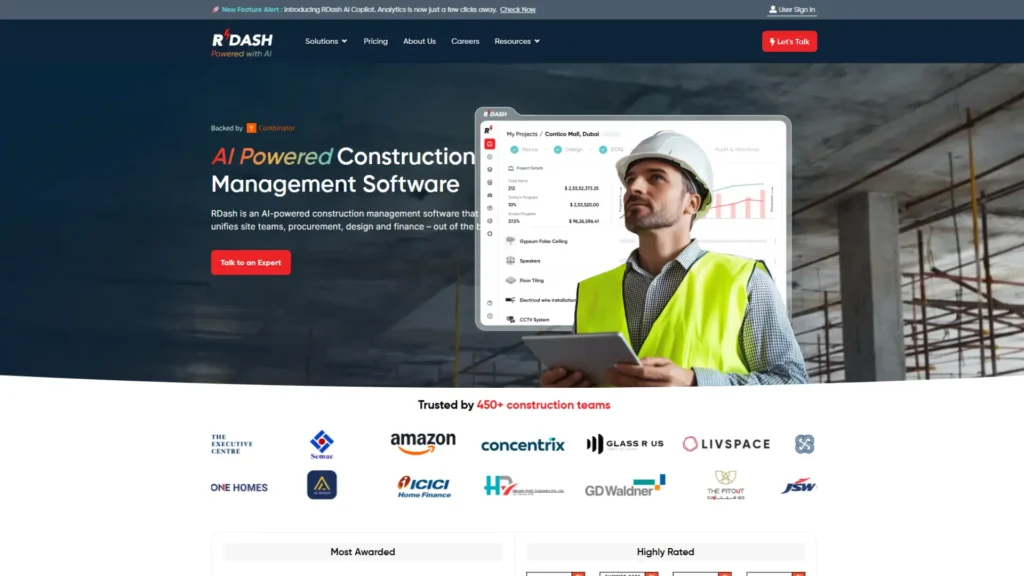
RDash is not a takeoff tool. It is the system your estimate moves into, built around the bill of quantities, and that is where most GCs win or lose the margin they bid.
RDash started inside a construction company. Its founders ran 91Squarefeet, an in-house design-and-build firm that fitted out offices and retail stores, and the first version of RDash went live on those projects in April 2022. They closed the construction arm in December 2024 to avoid competing with customers.
RDash is backed by Y Combinator, Stellaris Venture Partners and Zacua Ventures, and co-founder and CEO Amit Bansal presented a RICS webinar on BOQ-centric project execution in February 2026.
How it handles estimating: The BOQ sits at the center of everything. You build it from a master catalog of items (element library) or import it from Excel. Each scope item can be broken into materials and assemblies through a bill of materials, which gives you rate analysis from the material breakdown. Supplier rate contracts link to the same library, so agreed rates pull into vendor orders in one click.
How it handles the client: Clients get their own login. They confirm or query individual scope items instead of signing the last page of a 200-line spreadsheet, and every BOQ item keeps its change history. Scope changes run through change order approval workflows, the point where variation disputes tend to start. Our guide to creating and sharing a BOQ with clients walks through it.
How it carries the estimate after award: Orders are placed against BOQ items, budget guardrails sit on BOQ elements, and items that start losing margin are flagged at item level. Material receipts, site expenses, supplier running and final bills, and installed progress all tie back to the same line. Standard integrations push POs, invoices, payments, and expenses to Tally, Zoho, Odoo, SAP, Open ERP, Microsoft Business Central, and Oracle.
Evidence from named projects. These figures are published on the website and can be verified there.
- GD Waldner India: an $8 million MEP package for an energy storage R&D facility in Bengaluru, with 3,600+ line items, 30+ vendors, and $5 million of vendor orders reconciled against $4.4 million of client billing (project case study).
- Occasion Interiors: a Dubai design-build fit-out firm that moved off a split Excel-and-Zoho estimating stack, has delivered 41 projects on RDash, and traces every request from purchase request to LPO to GRN.
- Om Sai Intex: a ₹643 crore interior fit-out contractor that reports 100% of POs traced to the BOQ after a three-to-four-month rollout.
What is live and what is coming. Live today: an AI Copilot for prompt-based questions on margins and delays, plus analytics and predictive risk agents. RDash’s Costing Agent, which it says will auto-quantify a BOQ and check historical rates, is still marked “coming soon”. For a feature-by-feature view, see RDash vs other construction management software.
Best for: general contractors, design-build and fit-out firms, and MEP or specialist contractors whose work is priced and billed against a BOQ, especially those running about USD 5 million to 25 million or more in projects a year.
Pricing: Pro costs $1,000 per user per year, paid annually in advance, for firms with up to USD 25 million of annual project volume. Implementation and onboarding are priced separately. Enterprise, above USD 25 million, is quoted on users and volume.
Watch out for:
- No drawing takeoff today. If you measure from PDFs, pair RDash with a takeoff tool and import the quantities.
- Seats are priced per user, so decide which site, procurement, and finance roles need logins before you budget.
- Implementation is a separate line item. Get the go-live date in writing; our deployment timeline guide shows what a realistic rollout looks like.
2. STACK: Best for Cloud Takeoff and Estimating in One Tool
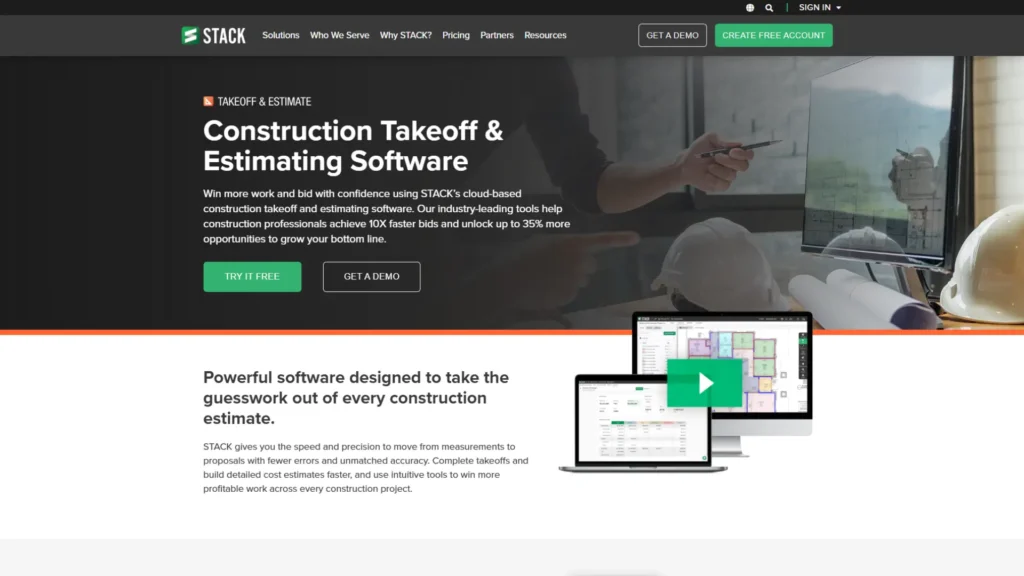
STACK is the most complete cloud takeoff-and-estimating tool here for GCs who bid from PDFs and want the whole team working in a browser.
STACK’s Takeoff & Estimate plans come in three tiers. Free gives you one active project a month, up to 300 plan pages and 50 measurements per project, plus seven days of Pro features. Premium adds unlimited projects, AI takeoffs, symbol search, and an overlay to compare drawing versions. Pro adds the estimating layer: worksheet-style estimates built from items and assemblies, a regional BNI cost library, automatic flags for missing materials, native proposals, and a STACK for Excel integration.
After the bid, STACK leans on other systems. Its ERP connectors, a Pro add-on, sync vendor prices, cost codes, purchase orders, and invoices with your accounting software.
Best for: commercial GCs and trade contractors estimating from PDFs who want takeoff and pricing in one cloud workspace.
Pricing: Free; Premium $299 and Pro $349 per user per month, billed annually. All subscriptions are 12-month terms, and paying upfront saves 20% against monthly payments.
Watch out for: Premium is takeoff only, so budget for Pro if you want estimating. Procurement and cost control after award live in your ERP, not in STACK.
3. Togal.AI: Best for AI-First Takeoff on Architectural Drawings
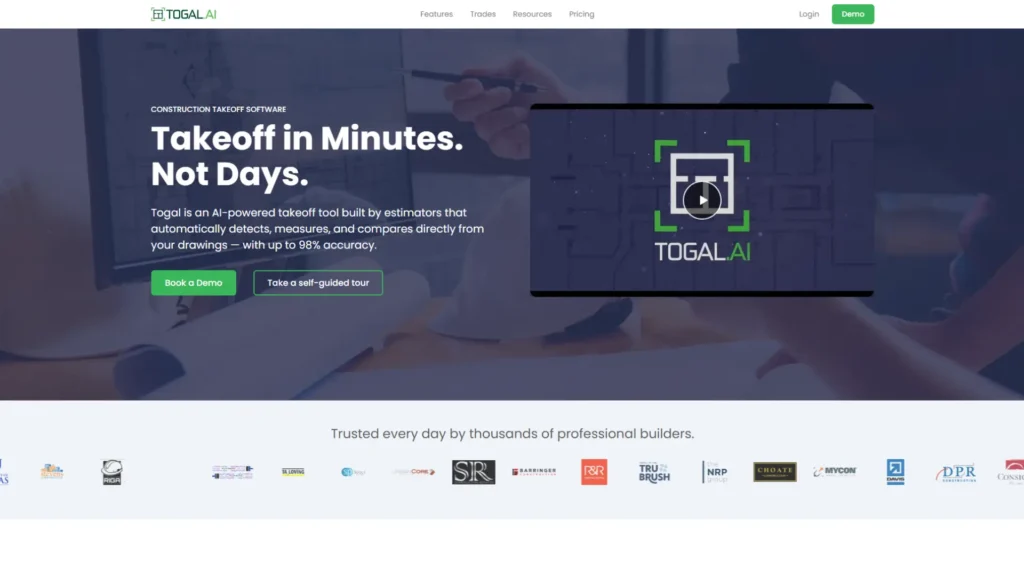
Togal.AI is the specialist pick when takeoff volume, not pricing, is your bottleneck.
Togal uses AI to detect, measure, compare, and label spaces and features on architectural drawings. The Growth plan includes unlimited automated takeoffs, chat prompts, and image or symbol searches, and you can invite collaborators outside your company who do not need their own license. Togal is also listed as an integration on Procore’s estimating page, which helps if you price in Procore.
Best for: GC estimating teams doing many area and count takeoffs on architectural sets.
Pricing: Growth costs $299 per user per month, billed yearly. Teams of four or more move to a custom Business plan with SSO, onboarding, and a classification library template.
Watch out for: Togal is a takeoff tool. Rates, sub-leveling, proposals, and procurement happen somewhere else.
4. PlanSwift: Best for Estimators Who Want Installed Desktop Software
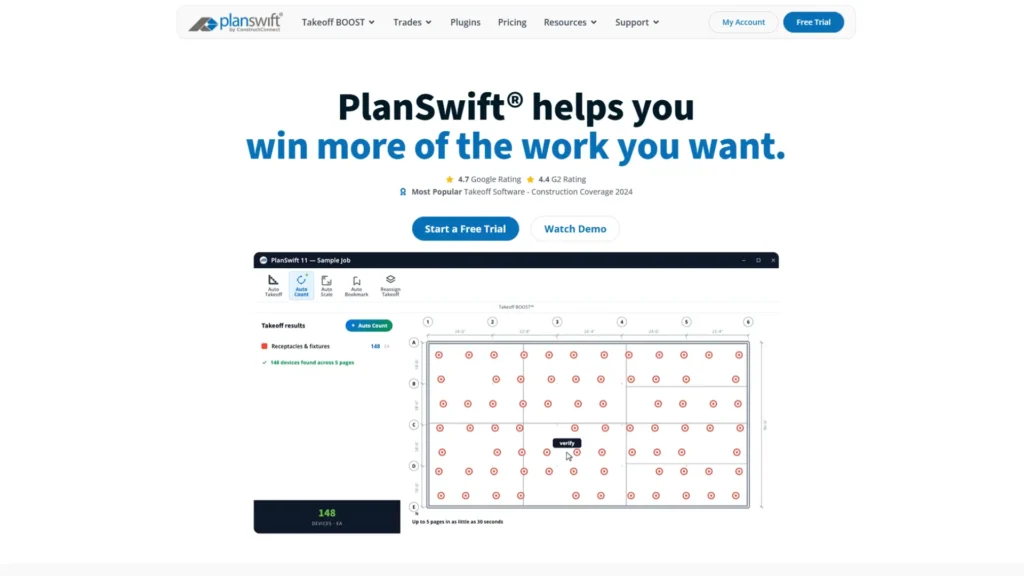
PlanSwift suits estimators who prefer installed software with drag-and-drop assemblies, and it now ships AI tools of its own.
PlanSwift, a ConstructConnect product since 2018, combines takeoff and estimating in one installed program and reads PDF, JPG, TIFF, and CAD plans. Both of its annual plans include pre-built trade assemblies, priority support, and two hours of one-on-one training.
Essential includes AI Auto Count, Auto Scale, and Auto Bookmark. Core adds Auto Takeoff, which builds a first pass of areas, lengths and counts. You can try either for 14 days without a credit card.
PlanSwift’s own FAQ confirms both plans are annual subscriptions, not the one-time license some older comparison articles still describe.
Best for: estimators who work from one machine and want assemblies, plugins, and Excel import.
Pricing: Essential $2,000 and Core $3,000 per seat per year, with discounts on additional seats and volume pricing from 10 licenses.
Watch out for: weaker fit for teams collaborating across offices and sites in real time, and nothing carries the estimate into purchasing.
5. Autodesk ProEst: Best for Mid-Size and Large GCs in the Autodesk Ecosystem
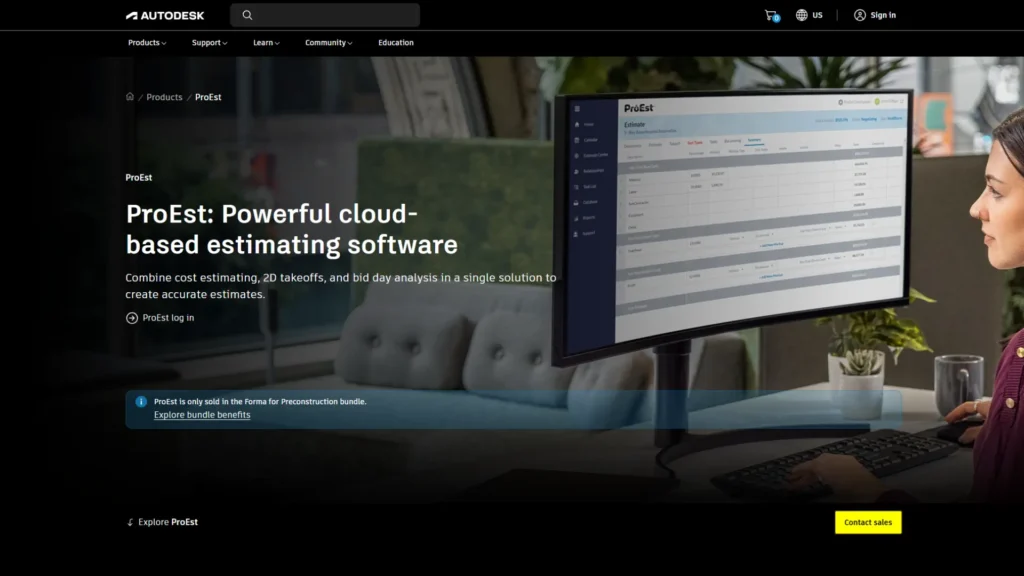
ProEst is a mature cloud estimating suite whose real advantage is the route into Autodesk’s construction platform after award.
ProEst combines cost estimating, 2D takeoff, and bid-day analysis in the cloud. You can import your own cost data or start from the ProEst Costbook, which Autodesk says holds more than 23,000 lines of regional costing data. Detailed estimates convert into project budgets in Forma Build, part of the platform formerly called Autodesk Construction Cloud.
Two things to know before a demo. Autodesk now sells ProEst only inside its Forma for Preconstruction bundle. It also sells Forma Estimate, a separate estimating product, and its own blog says Forma Estimate does not replace ProEst. Ask your rep which one your firm should standardize on.
Best for: GCs already using Autodesk Forma for design coordination or project delivery.
Pricing: no price on Autodesk’s ProEst page; you contact sales for a bundle quote.
Watch out for: two overlapping Autodesk estimating products, and a bundle purchase even if you only want estimating.
6. Procore Estimating: Best for GCs Already Standardized on Procore
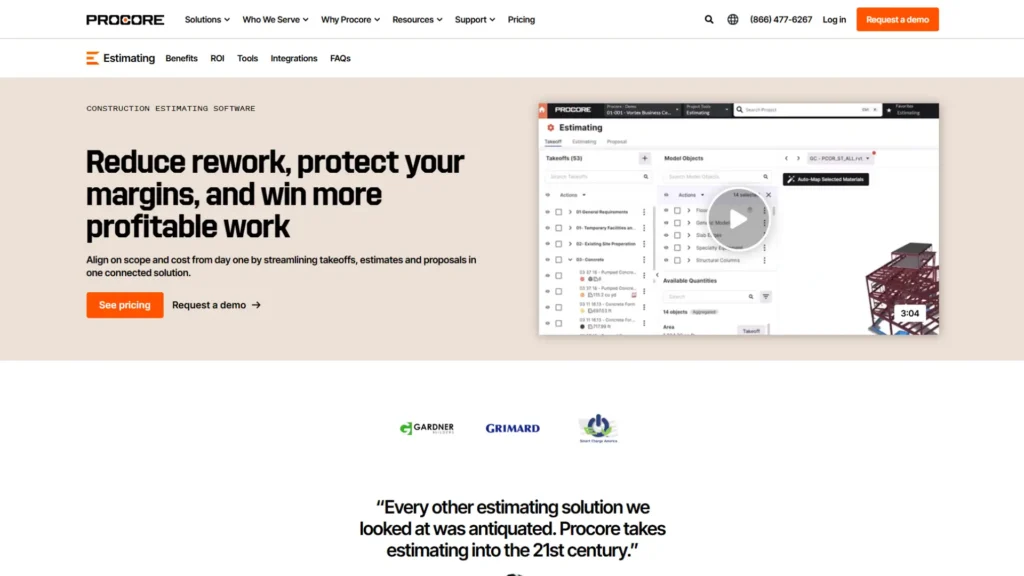
If Procore already runs your projects, its estimating module is the shortest path from bid to budget, because the estimate never leaves the platform.
Procore Estimating, which still carries Esticom branding as a Procore company, handles takeoff and estimating in one tool. It extracts quantities from 2D drawings and 3D models, uses AI to detect floor plan areas and auto-count repeated symbols, and prices from a customizable database of parts, assemblies, equipment, and services. Procore says estimates move on to bid, contract, and financials without switching applications.
Best for: mid-size and large GCs who already use Procore for project management and financials.
Pricing: Procore sells annual contracts with unlimited users and data, and quotes each customer individually.
Watch out for: you are really buying into the Procore platform. Without it, the post-award advantage disappears.
7. Sage Estimating: Best for Commercial GCs on Sage Accounting
Sage Estimating is the long-standing choice for commercial GCs who live on bid day and keep their books in Sage.
Sage Estimating works with RSMeans, other third-party cost databases, or your own. Its BidMatrix tool processes thousands of bid paths, highlights the lowest subcontractor combination, and tracks MBE and WBE participation. Sage AI flags outlier bids and predicts bidder participation from past projects.
Takeoff runs through eTakeoff Dimension, which reads native PDFs. Estimates connect to Sage Intacct Construction, Sage 300 CRE, and Sage 100 Contractor, so data moves into job costing and accounting without re-entry.
Best for: commercial GCs with large subcontract packages and an existing Sage accounting stack.
Pricing: not published; ask Sage or a Sage reseller for a quote.
Watch out for: the full workflow spans several Sage products, so ask how much implementation and training your team will need.
8. Buildxact: Best for Residential Builders and Remodelers

Buildxact gives residential builders takeoff, estimating, quoting, and job management on one company-wide price with unlimited users.
Buildxact’s US plans start with Go, a free tier with five credits for AI estimates and proposals. Foundation adds unlimited users, digital takeoffs, the Blu assembly assistant, custom quote letters, e-signatures, dealer integration, and purchase orders. Pro adds Blu’s estimate generator, job management, schedules, and the Onsite mobile app. Master adds Blu’s takeoff assistant and estimate reviewer, user access controls, and priority support.
Best for: home builders, remodelers, and small residential GCs moving off spreadsheets.
Pricing: Foundation is $199 per month, or 169 per month billed annually (2,030 a year). Pro is $339 and Master is $509 per month on annual billing. Annual plans save 15% and require a 12-month commitment.
Watch out for: it is built for residential work, so large commercial bills of quantities and multi-tier subcontract packages may outgrow it.
9. Contractor Foreman: Best Budget All-in-One for Small Crews
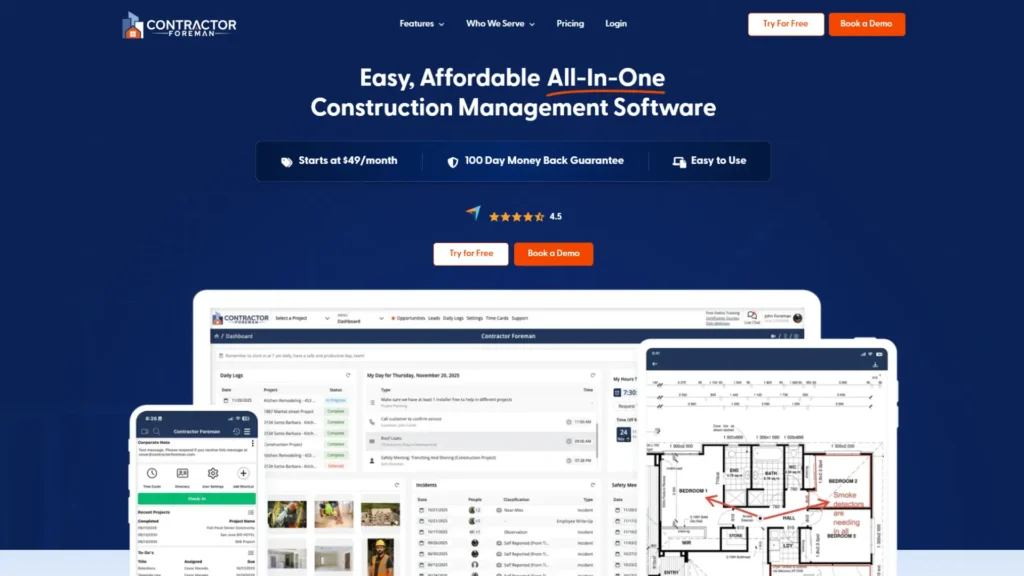
Contractor Foreman packs estimating, bid management, purchase orders, and job costing into one of the cheapest plans on this list, as long as you read the user limits.
The headline $49 a month on Contractor Foreman’s pricing page is the Basic plan for one user, billed annually at $588. Standard covers 3 users, Plus 8, Pro 15, and Unlimited any number.
Estimates support bulk and line-item markups, takeoffs come with built-in AI, and the bid manager turns a winning sub bid into a purchase order or subcontract. Job costing reports show which items made or lost money, and the QuickBooks Online integration keeps invoices, bills, and payments in step. Every plan starts with a 30-day free trial, and and above add a 100-day money-back guarantee.
Best for: small and mid-size GCs who want one affordable system for estimating, scheduling, field logs, and invoicing.
Pricing: billed annually, $49 (1 user), $105 (3 users), $166 (8 users), $221 (15 users) or $332 (unlimited users) per month.
Watch out for: the entry price covers one person, and complex commercial bids need deeper estimating than an all-in-one tool offers.
10. Clear Estimates: Best for Fast, Template-Driven Remodeling Estimates
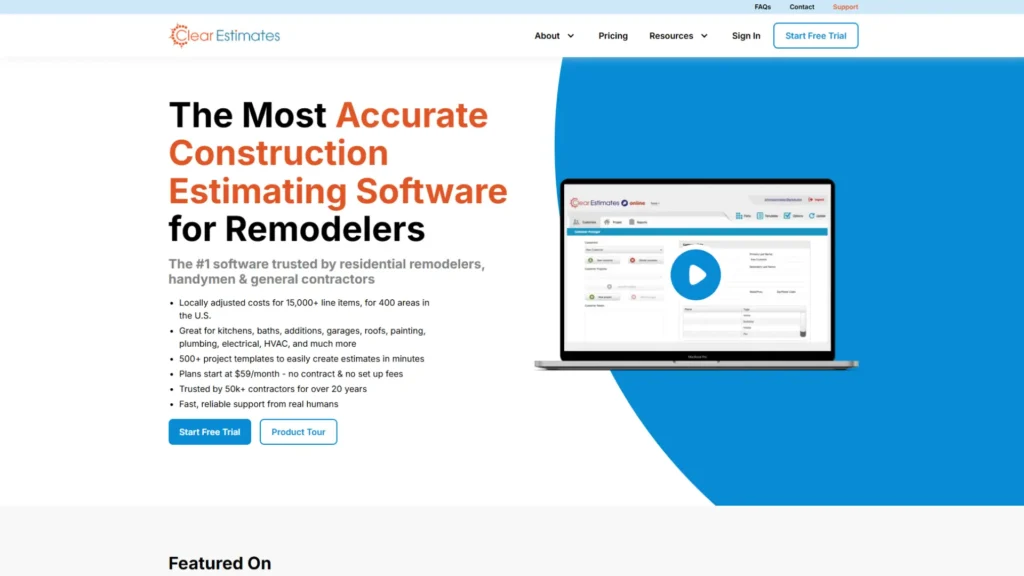
Clear Estimates is the quickest way for a remodeler or small GC to produce a professional estimate without building a cost database first.
Clear Estimates ships with a 13,000+ line item database, updated quarterly, and 400+ preloaded templates. Every plan includes unlimited AI estimates, built-in e-signature, and payable invoices. Pro adds AI-powered image and plan uploads, Buildertrend and Zapier-based CRM integrations, ATTOM property data, and extra users at $9 a month each.
Best for: residential remodelers and small GCs pricing repeatable scopes.
Pricing: Standard $79 per month, or $59 billed annually. Pro $119, or $99 billed annually. Franchise from $249, or from $199 billed annually. All plans have a 30-day free trial and no contract.
Watch out for: it is template-driven by design, so it is not built for commercial takeoff, sub-leveling, or procurement.
BOQ Markets vs Takeoff Markets: How Your Region Changes the Right Tool
When tenders are priced from a bill of quantities, the software that prices, approves, and tracks the BOQ becomes most relevant, not the one that measures drawings fastest.
Most US-written software guides assume one workflow. The GC measures the drawings, builds an estimate, and later breaks it into a schedule of values for billing. Large parts of the world work differently, and the measurement rules show why.
- UK and RICS markets: RICS’s NRM 2 (2nd edition, October 2021) sets standard rules for measuring and describing building work in a bill of quantities. It treats the priced BOQ as a contract document that also serves as the basis for valuing work done for interim payments and for budgetary control after award.
- India: The Bureau of Indian Standards’ IS 1200 series sets methods of measurement for building and civil works. Its foreword notes that measurement matters from the first estimate through to the final settlement of payments.
What changes when the BOQ is the contract
When the BOQ is the contract, three things matter more than takeoff speed:
- Version control: Every addendum and re-measure creates a new BOQ version, and the team must know which one was priced and which one was approved.
- Item-level approval: Disputes are usually about which line items the client confirmed, not about the total. See our guide to BOQ in tendering.
- Payment against measured items: Interim bills are valued against the same lines, so the BOQ has to stay connected to installed progress and supplier invoices.
That is why a BOQ-first platform such as RDash does the heavy lifting in these markets, and a takeoff tool becomes the instrument you use to check or re-measure quantities. In hard-bid US work, the order often flips: the takeoff tool leads, and the post-award system receives the result.
Which Estimating Software Fits Your Firm?
Match the tool to how your work arrives and to what happens to the estimate after you win, then check the price at your real headcount.
If this describes your firm | Shortlist | Why |
You price client-issued BOQs and bill against them | RDash | BOQ versions, item-level approvals, POs and bills tied to the same lines |
You win bids but lose margin during the job | RDash | Item-level P&L, supplier rate contracts and installed progress tracking |
You measure commercial drawings for hard-bid work | STACK, Togal.AI, PlanSwift | Fast quantities from PDFs; pair with a post-award system |
You already run Procore, Autodesk Forma or Sage | That vendor’s estimating module | The estimate moves into budgets without a new integration |
You bid large subcontract packages and live on bid day | Sage Estimating, Autodesk ProEst | Bid leveling and bid-day analysis are their core strength |
You build homes or remodel | Buildxact, Clear Estimates | Templates, quoting, and residential-friendly pricing |
You have one to three people and a tight budget | Contractor Foreman, STACK Free, Buildxact Go | Low or zero entry cost; check the user limits |
If your bottleneck is bid invitations and subcontractor coverage rather than pricing, that is a separate category; our bid management software guide covers it.
One to three estimators: Start free. STACK Free and Buildxact Go cost nothing, and Contractor Foreman and Clear Estimates offer 30-day trials. Run a real bid, not a sample project.
Growing GCs: The pain moves from measuring to handoffs: estimators, purchasing, and site teams each keep their own spreadsheet. Running two tools is normal at this stage: a takeoff tool for quantities and a BOQ-centered platform for everything after award. What matters is that the handoff is a file import, never retyping. RDash, for example, imports scope from Excel.
Enterprise GCs: Integration, permissions, and audit trails outweigh features. The platform you already run for projects and accounting usually decides the estimating tool, so test the integration, not the demo.
What Does Construction Estimating Software Cost in 2026?
At published list prices, five users cost from about $1,600 to $21,000 a year, but cost per seat matters far less than how many bids the team can handle and how much margin survives the job.
Vendors price in three different ways: per user, per company with user caps, or by private quote. That makes headline prices hard to compare, so here is what a five-person team would pay at list price.
Tool and plan | Five users per year (list) | Billing basis | What to know |
Clear Estimates Pro | $1,620 | $99 per month billed annually, plus $9 per month per extra user | Assumes four extra users |
Contractor Foreman Plus | $1,997 | Company plan, up to 8 users | Unlimited users is $3,984 |
Buildxact Pro | $4,070 | Company plan, unlimited users | Foundation is $2,030 |
RDash Pro | $5,000 plus implementation | $1,000 per user per year | Each seat covers estimating, procurement, and finance modules |
PlanSwift Core | Up to $15,000 | $3,000 per seat per year | Extra seats are discounted; Essential is $2,000 per seat |
STACK Premium | $17,940 | $299 per user per month, billed annually | Takeoff only |
STACK Pro | $20,940 | $349 per user per month, billed annually | Adds estimating; ERP connectors extra |
Togal.AI | Quote | Growth at $299 per user per month covers up to three users | Teams of four or more move to the Business plan |
Autodesk ProEst, Procore Estimating, Sage Estimating | Quote | Not published | ProEst sold only in a Forma bundle |
Calculated from each vendor’s pricing page on 9 October 2026, before tax and discounts.
Costs that do not appear on the pricing page
- Implementation: RDash prices implementation and onboarding separately. Contractor Foreman includes setup on its Pro and Unlimited plans. Ask every vendor for a fixed go-live date.
- Cost data: STACK Pro includes a regional BNI cost library. Elsewhere, check whether the cost database is included, licensed separately, or yours to build.
- Contract terms: STACK subscriptions run 12 months even when paid monthly, and Buildxact’s annual plans need a 12-month commitment.
- Your team’s time: Training, migrating old estimates, and running parallel bids during the switch.
Is estimating software worth the cost?
Estimating software pays for itself when it lets your existing team bid more work or stops margin leaking after award; the seat price is small next to either.
The US Bureau of Labor Statistics put the median cost estimator wage at $78,740 in May 2025. STACK Pro, the most expensive published seat on this list at $4,188 a year, costs about 5% of that. BLS also projects estimator employment to fall 3% from 2025 to 2035, partly because estimating software lets fewer estimators do the same work.
On the $5 million job above, holding on to one extra percentage point of margin is worth $50,000, enough to pay for nearly 12 STACK Pro seats for a year.
AI Takeoff in 2026: What It Does Well and What You Still Own
AI now drafts takeoffs, counts symbols, and flags missing items in minutes, but a bid built on its quantities is still your bid, mistakes included.
Adoption is rising fast and unevenly. The AGC and Sage 2026 Construction Hiring and Business Outlook found 61% of firms using AI or planning to increase AI investment, up from 44% a year earlier, with 23% using it for estimating. KPMG’s 2023 survey, by contrast, found just 4% of firms applying AI across every project.
Tool | AI in estimating today (as each vendor describes it) |
STACK | AI takeoffs, symbol search and recognition, automatic flags for missing materials (Pro) |
Togal.AI | Automatic detection, measurement and labeling of spaces and features; chat prompts |
PlanSwift | Auto Count, Auto Scale and Auto Bookmark; Auto Takeoff on Core |
Procore Estimating | AI floor plan area detection and auto-count of repeated symbols |
Sage Estimating | Sage AI flags outlier bids and predicts bidder participation |
Buildxact | Blue assembly assistant, estimate generator, takeoff assistant and estimate reviewer, by tier |
Contractor Foreman | Built-in AI inside takeoffs |
Clear Estimates | AI estimates; AI image and plan uploads on Pro |
RDash | AI Copilot for questions on margins and delays; a BOQ Costing Agent marked “coming soon” |
Who carries the risk when AI gets a quantity wrong
Duane Morris attorneys Robert Bell and Michael Ferri wrote that early signs point to courts treating AI errors in bids like any other bidding mistake, which leaves the contractor responsible. Put four controls in place before you lean on AI quantities:
- Spot-check every submission. Measure a sample of sheets by hand and compare.
- Read the specification, not just the drawings. AI measures what is drawn; scope hidden in specs and notes still needs a person.
- Write down your measurement rules (NRM 2, IS 1200, or your own house standard), so AI output is checked against something fixed.
- Record who reviewed which quantities, so the sign-off is clear if a claim comes later.
For a wider look beyond takeoff, see our practical guide to how AI is used in construction management software.
How to Choose Estimating Software: The 7-Question Demo Scorecard
Bring your last won job and your last lost bid to every demo, and make the vendor run them live. Whatever breaks in the demo will break on a real tender.
# | Ask the vendor to show you | A good answer looks like |
1 | Importing your last bid’s drawings or BOQ | Quantities come in without retyping; an addendum creates a new version, not a new file |
2 | Where the cost data comes from and when it was last updated | A named source (your rates, BNI, RSMeans, or a vendor costbook) with a visible update date |
3 | Leveling three subcontractor quotes on one scope | Side-by-side comparison inside the tool, with exclusions visible |
4 | Turning one awarded line item into a purchase order | Same item code, same quantity, no retyping |
5 | A client approving or querying individual line items | Item-level status with a full change history |
6 | What goes to your accounting system, and in which direction | A named integration, the records it syncs (POs, invoices, cost codes) and how often |
7 | Year-two cost at your real headcount | A written quote that includes implementation, add-ons and renewal terms |
Score each answer 0, 1 or 2 and compare totals across vendors. A zero on question 4 or 6 means someone on your team will rebuild the estimate by hand after every award.
Five Mistakes GCs Make When Switching Estimating Software
Most failed switches are data and process failures, not software failures. The estimating errors themselves, from missed scope to stale rates, are covered in our guide to construction estimating steps and mistakes.
- Migrating a stale cost database: Old rates flow straight into new bids. Input prices rose 7.1% in a year, and about 70% of firms in the AGC and Sage 2026 outlook said tariffs had affected them. Re-price your highest-value items before go-live.
- Using different codes for estimating and accounting: If the estimate and the job cost ledger use different item or cost codes, budget-versus-actual never lines up. Agree on one item library before importing anything; our free construction estimate template is a reasonable starting structure.
- Buying seats only for estimators: Retyping happens where the estimate lands: purchasing, project managers, and site engineers. Include them in the trial.
- Judging on takeoff speed alone: A faster takeoff does nothing for the four links after it. Run the single line item test on every shortlisted tool.
- Skipping a parallel bid: Price at least one live tender in the old and new systems side by side, compare line by line, and only then switch the old one off.
Final Verdict: The Best Estimating Software by Use Case
Choose the tool that covers the link in the estimate chain where your firm actually loses money.
- Best overall for GCs who need the estimate to run the job: RDash
- Best cloud takeoff and estimating: STACK
- Best AI-first takeoff: Togal.AI
- Best installed desktop tool: PlanSwift
- Best in the Autodesk ecosystem: Autodesk ProEst
- Best if you already run Procore: Procore Estimating
- Best for bid-day sub-leveling on Sage: Sage Estimating
- Best for residential builders: Buildxact
- Best budget all-in-one: Contractor Foreman
- Best for template-driven remodeling estimates: Clear Estimates
Your next step: take the line item that hurt most on your last job and run the single line item test on it this week. If the number broke during takeoff, shortlist a takeoff tool. If it broke after award, somewhere between the bid, the purchase order, and the invoice, that is the gap RDash is built to close, and its pricing and project case studies will show you quickly whether it fits.
Frequently Asked Questions
What is the best estimating software for general contractors?
RDash is the best choice for general contractors whose estimate has to become the working budget, purchase orders, and cost control, because it keeps every BOQ line connected from bid to final bill. For fast takeoff from drawings, STACK and Togal.AI lead. Firms already on Procore, Autodesk, or Sage should start with those vendors’ estimating modules.
Is a GRN legally required, or is it just best practice?
Construction estimating software calculates what a project will cost to build. It measures or imports quantities, applies material, labor, equipment, and subcontract rates, adds overhead and markup, and produces a bid or proposal. Stronger tools also carry the estimate into purchasing, budgets, and job costing after award.
What is the difference between takeoff software and estimating software?
Takeoff software measures quantities from drawings: areas, lengths, and counts. Estimating software turns those quantities into a price by applying material, labor, and equipment rates, overhead, and markup. STACK Pro, PlanSwift, and Procore Estimating do both; Togal.AI focuses on takeoff, and BOQ-centered platforms like RDash carry the priced quantities through purchasing and billing.
How much does construction estimating software cost?
Published plans run from free (STACK Free, Buildxact Go) to $349 per user per month (STACK Pro, billed annually). Company plans such as Contractor Foreman and Buildxact charge a flat monthly price for a set number of users. RDash Pro costs $1,000 per user per year plus implementation. Procore, Sage, and Autodesk ProEst quote privately.
Is there free estimating software for general contractors?
Yes, but with limits. STACK’s free plan allows one active project a month, up to 300 plan pages and 50 measurements per project. Buildxact Go is free with five credits for AI estimates and proposals. Contractor Foreman, Clear Estimates, and PlanSwift offer free trials rather than free plans, and free tiers suit occasional small bids, not a full estimating department.
Can AI do construction takeoffs accurately?
AI is good at repetitive measurement: detecting rooms and areas, counting symbols, and drafting a first-pass takeoff. It does not read scope buried in specifications, and legal commentators expect contractors to stay responsible for AI errors in submitted bids. Treat AI output as a draft that an estimator checks against the drawings, the specification, and your measurement rules.
Which estimating software connects to accounting systems like QuickBooks?
Contractor Foreman integrates with QuickBooks Online. STACK offers ERP connectors as a Pro add-on. Sage Estimating connects to Sage Intacct Construction, Sage 300 CRE, and Sage 100 Contractor, and ProEst feeds budgets into Autodesk Forma Build. RDash syncs POs, invoices, payments, and expenses with Tally, Zoho, Odoo, SAP, Open ERP, Microsoft Business Central, and Oracle.
What is a BOQ, and do US general contractors need BOQ software?
A bill of quantities (BOQ) lists every item of work with a description, unit, and quantity. Once priced, it often becomes a contract document used to value interim payments. US GCs more often work from their own takeoff and a schedule of values, but BOQ-style software still helps any firm that wants each line tracked from estimate to purchase order to invoice.
Is cloud or desktop estimating software better?
Cloud tools such as STACK, Togal.AI and RDash suit teams that share estimates across offices and sites, because everyone works on the same live data. Installed tools such as PlanSwift suit estimators who work from one machine and prefer local files. Most products on this list are cloud-first, so check how any desktop tool shares data with the rest of your team.
How long does it take to implement estimating software?
A takeoff tool can be running within hours; STACK says most teams are up and running in a few hours. A platform that also runs procurement and finance takes longer, and RDash customer Om Sai Intex describes a three-to-four-month rollout. Put the go-live date and the owner on both sides into the contract before you sign.
Is it true that 32% of construction cost overruns come from estimating errors?
We could not trace that widely repeated figure to a primary study, so we do not use it. Verifiable data points the same way: in KPMG’s 2023 Global Construction Survey, improving estimating accuracy for materials and equipment was rated highly important by 83% of respondents, more than any other response to cost escalation and supply disruption.